Skip to content
Get in Touch
A curated mix of everyday products styled on an oak console table in warm morning light
X3WEB
6 Ways It Pays For Itself
Google Rating
4.9/5
Verified reviews
Your Brand,
Your Store
100%
Business Models · Shop Nest

Don’t Just Post Products.Run a Real Online Store.

View the Live Site
PayFast Checkout Built In

A complete online store, branded as yours. Customers browse, add to the cart and pay through PayFast, and your team runs products, orders, delivery and payments from one back office.

You stop selling one chat at a time Products, cart, payments, delivery and orders connect in one store with your name on it.
Hands packing a customer order into a kraft box with tissue paper
The Package

Built, Branded and Handed Over

This is a custom build, not a template you set up yourself. You tell us what you sell, and we do the rest.

  • We build the store into your brand, your colours and your domain.
  • We load your products, categories, prices, options and delivery rates.
  • Tutorial videos on everything, and our team working alongside yours.
Priced to the size of your store. Tell us what you sell and we’ll send you a quote.
View the Live Site
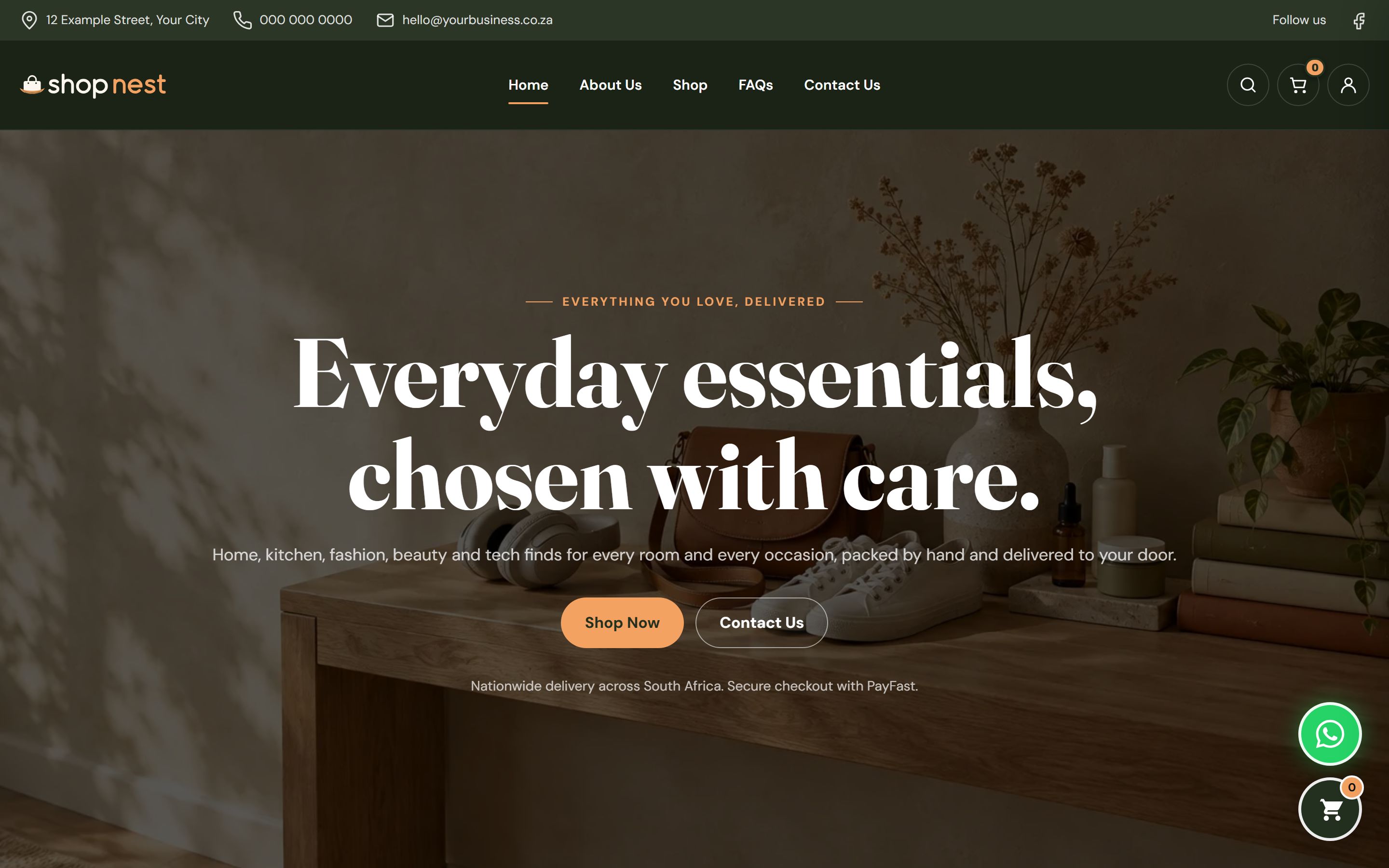
Shop Nest home page in olive and apricot branding with the headline "Everyday essentials, chosen with care." and Shop Now and Contact Us buttons.
Home page
The Business Model

This Is Not a Catalogue. It’s Your Online Shop.

Many small businesses still sell through WhatsApp messages, photos and manual invoices. Shop Nest puts the whole shop online: browsing, choosing options, paying and delivery, with every order recorded for you.

  • Customers browse, pick a size or colour and pay through PayFast.
  • A side cart keeps shoppers moving towards checkout.
  • Delivery rates are set by province, with free delivery above an amount you choose.
  • Your team runs products, orders, customers and payments from one back office.
View the Live Site
How It Pays

6 Ways Shop Nest Pays for Itself

New sales from customers who buy online, and hours back from the admin a store runs on every day.

1

Sell around the clock

Your whole catalogue is open to buyers day and night, with no one needed to answer every message.

Online shoppers

2

Bigger baskets

Size and colour options and related products help shoppers add one more item before they pay.

Every order
3

Promotions that convert

Coupon codes and sale prices turn a quiet week into orders, and you control every discount.

Seasonal sales
4

Fewer abandoned carts

A side cart and a short checkout keep shoppers moving, so fewer leave before they pay.

Hesitant buyers
5

Customers who come back

Accounts with order history make it easy for customers to reorder and track what they bought.

Repeat customers
6

Less admin per order

Orders, payment status, courier and tracking live in one place, with no copying between chats.

Your team
Customers pay online through PayFast, and every order lands in your back office.
View the Live Site
Getting Started

From Chat Orders to Online Store in Three Steps

1

We brand it for you

Your name, logo, colours and domain. Your PayFast account and delivery rates set up.

2

We load your products

Your products, photographs, prices, options and categories are added, ready to sell.

3

Start selling

Share the link. From then on, every order, payment and delivery is recorded for you.
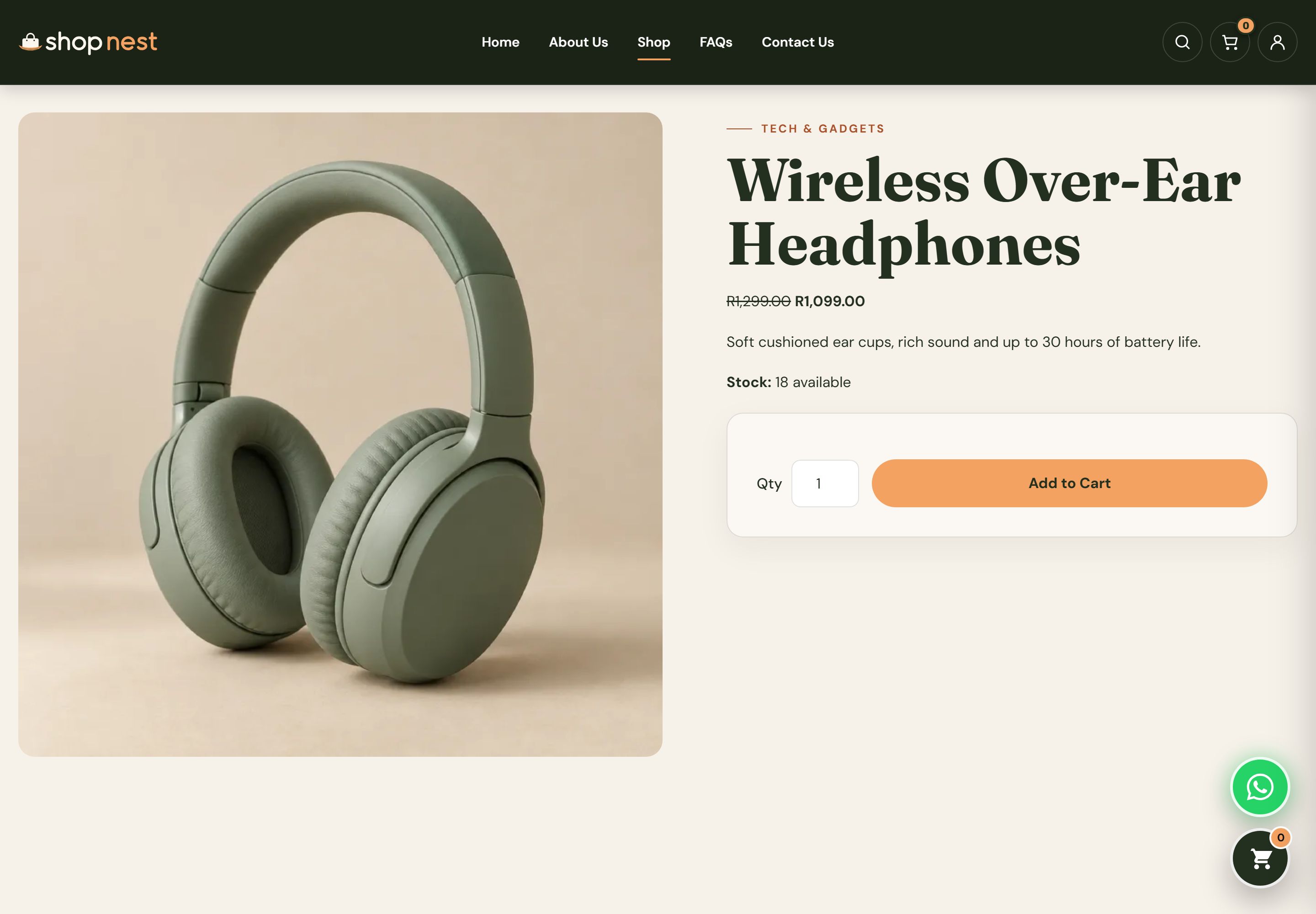
Product page for Wireless Over-Ear Headphones showing an image gallery, the sale price beside the original price, an Add to Cart button and description tabs below.
Product page
What Shoppers See

A Storefront That Turns Browsers Into Buyers

A professional store built around one goal: making it easy to find a product and pay for it.
  • Every product has its own page with a photo gallery, price and description.
  • Sale prices show clearly beside the original price.
  • Size and colour options sit right above the Add to Cart button.
  • Live search shows matching products as the shopper types.
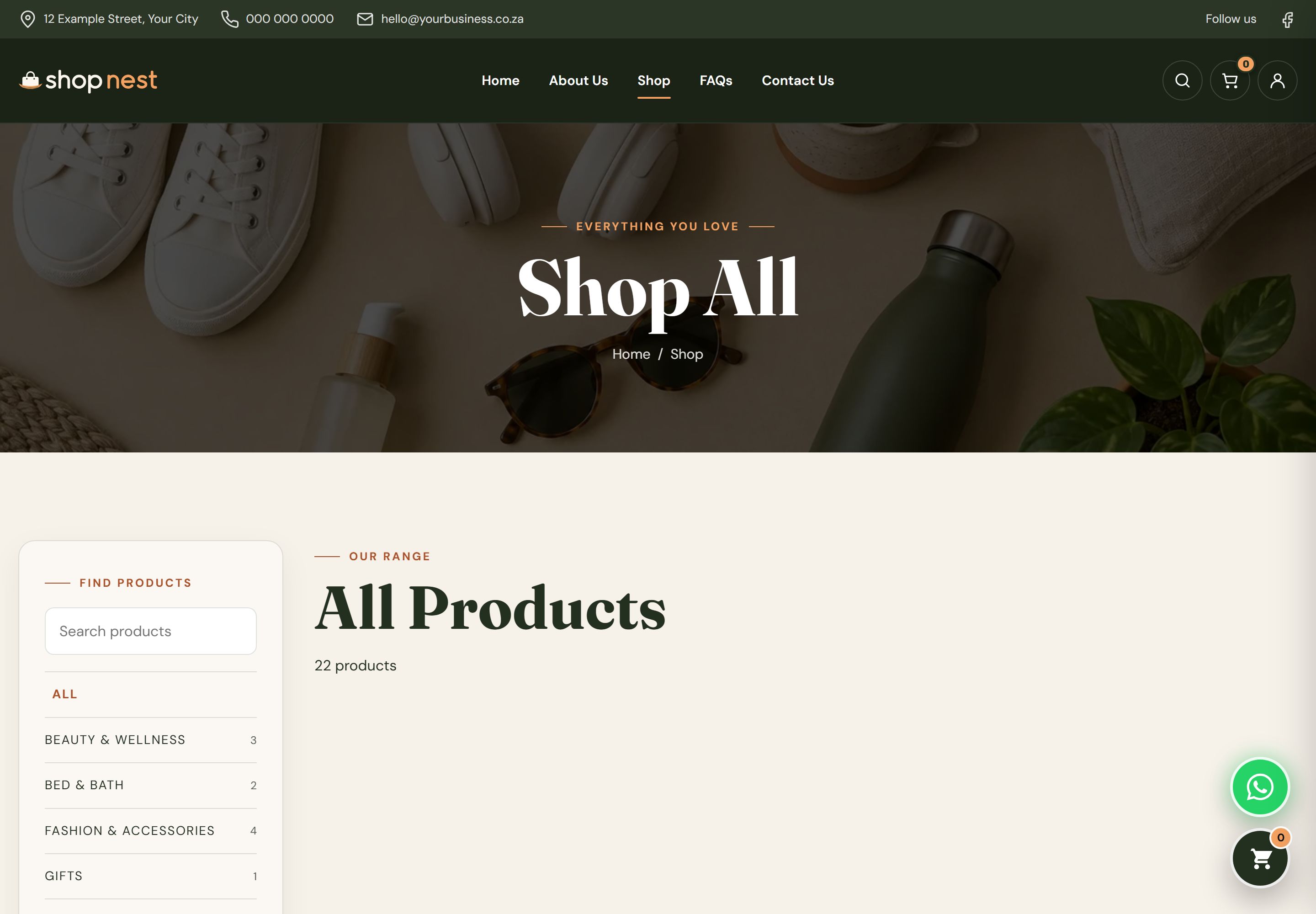
Shop All page with a category sidebar beside a grid of 22 products, each with a photograph, name, price and Add to Cart or Choose Options button.
Shop catalogue
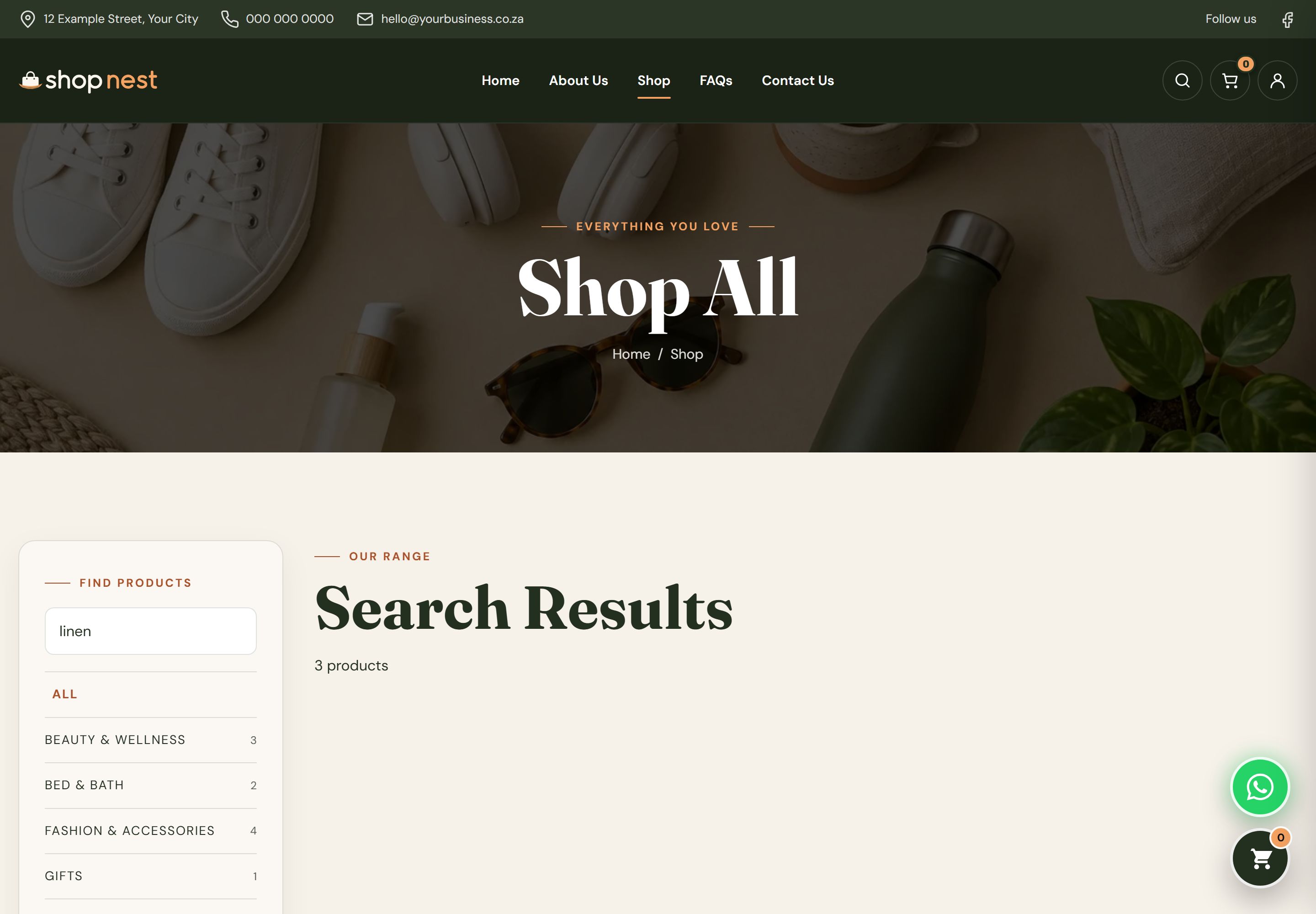
Shop page showing the search results for "linen", with the category sidebar and matching linen products.
Product search
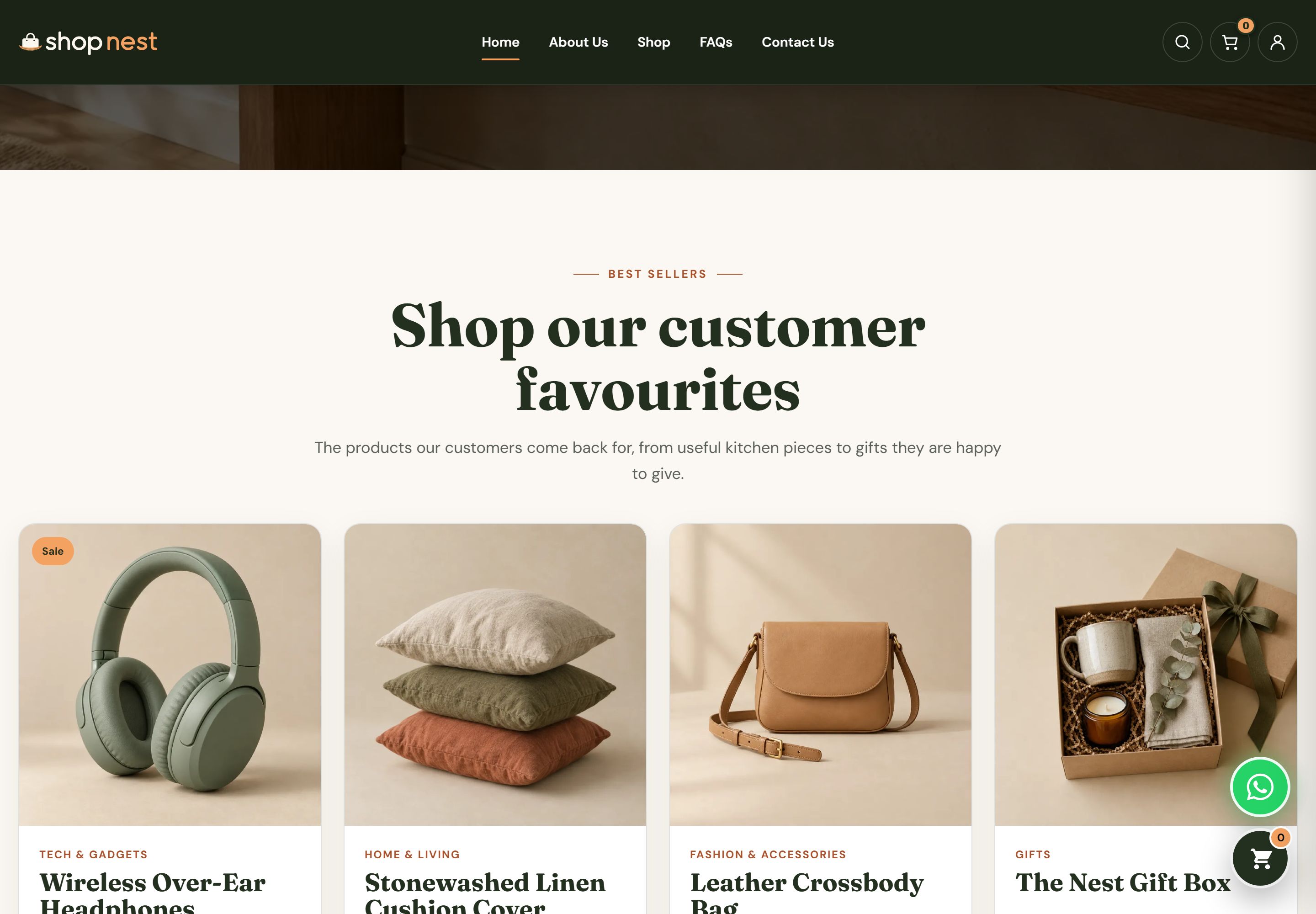
Shop Nest home page best sellers row with product cards for wireless headphones, a linen cushion cover, a leather crossbody bag and a gift box, each with an Add to Cart or Choose Options button.
Best sellers
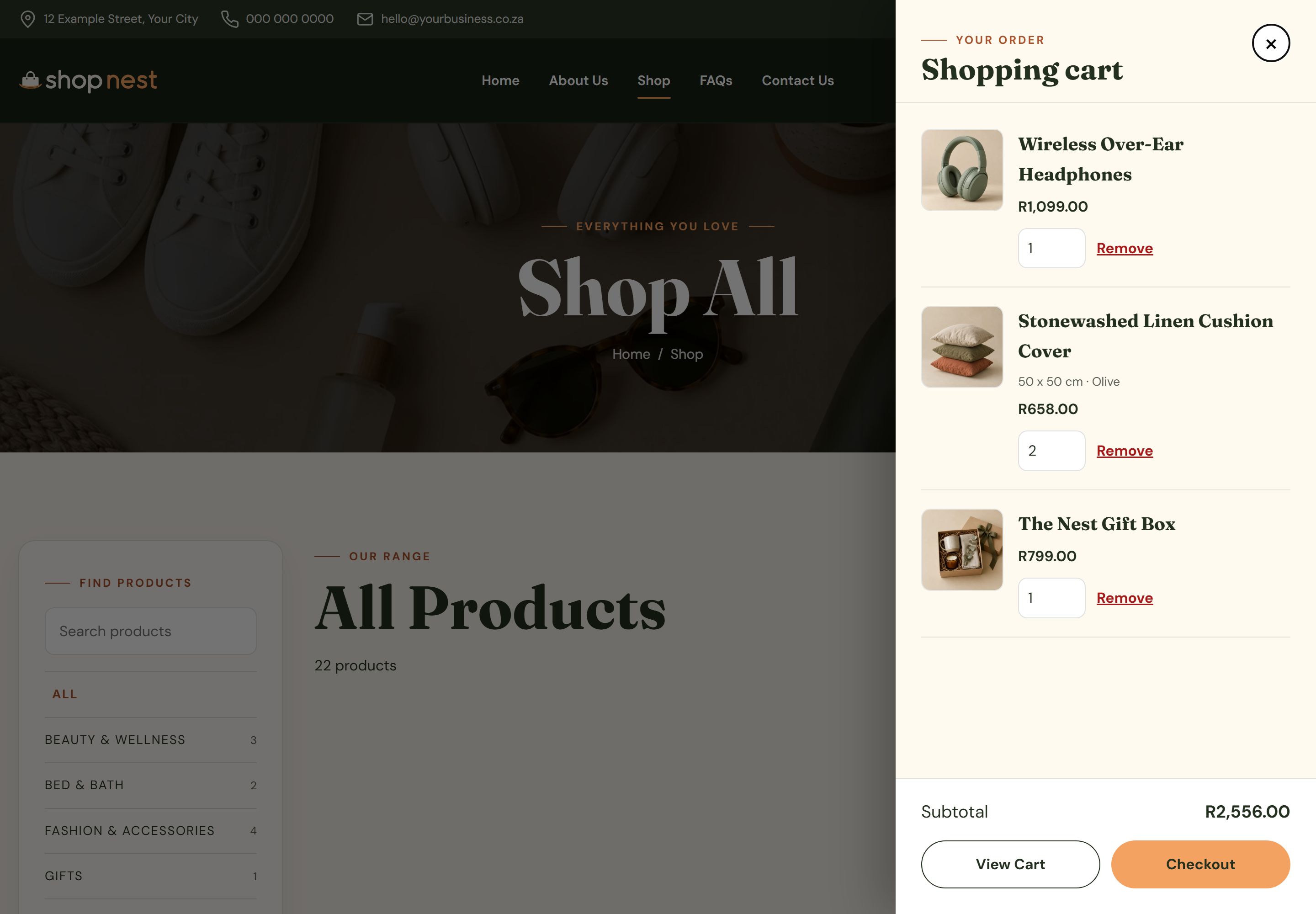
Slide-out cart drawer over the shop showing three items with quantities and prices, a subtotal and a Checkout button.
Side cart
Cart and Checkout

Shoppers Pay Without a Phone Call

  • A side cart slides in so shoppers never lose their place.
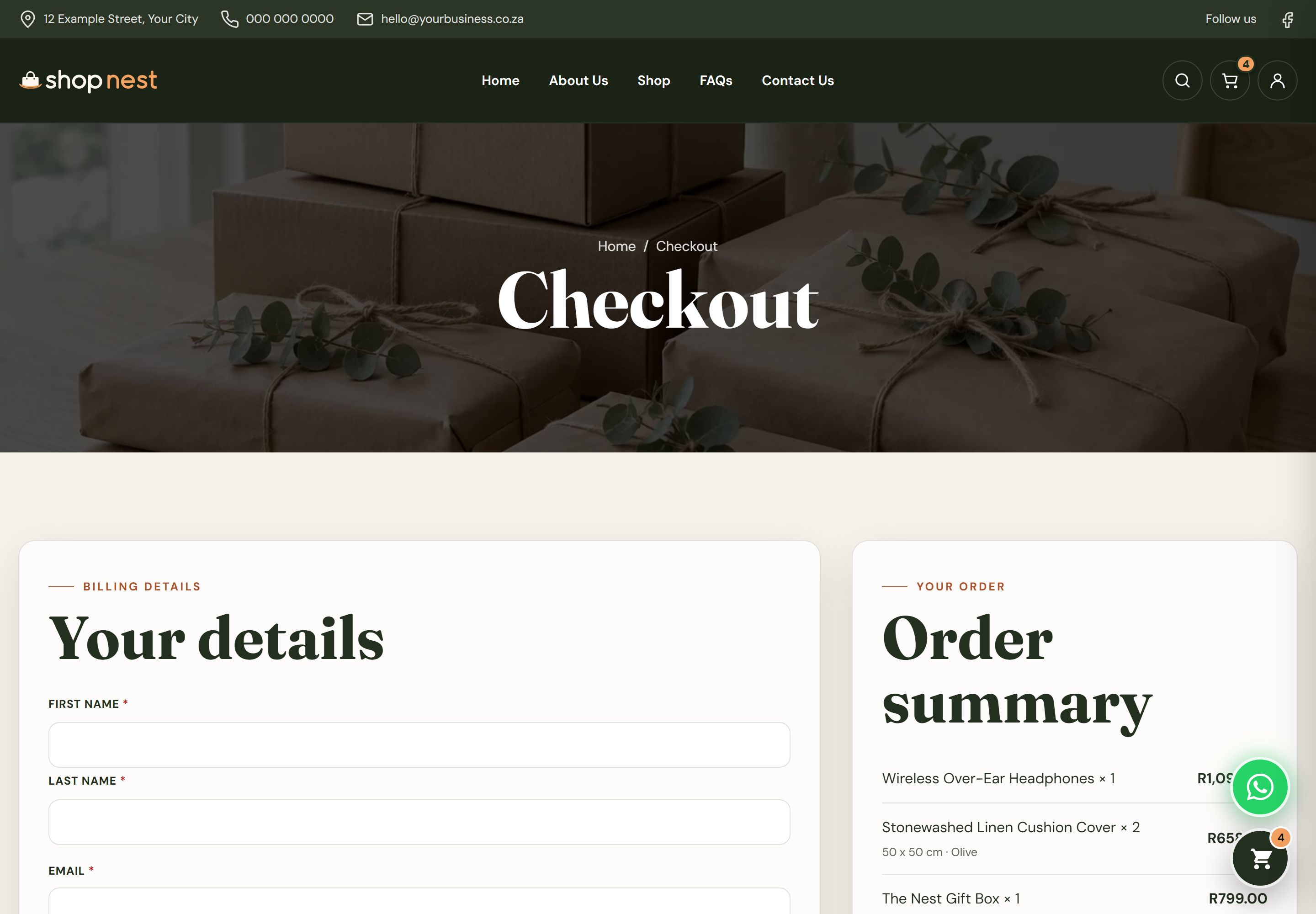
  • Delivery details, province rates and coupon codes sit on one checkout page.
  • Customers pay securely through PayFast.
  • Every order arrives in your back office with its payment status.
Secure checkout page with delivery details, delivery rates by province, a coupon code field, the order summary and a PayFast payment option.
Secure checkout
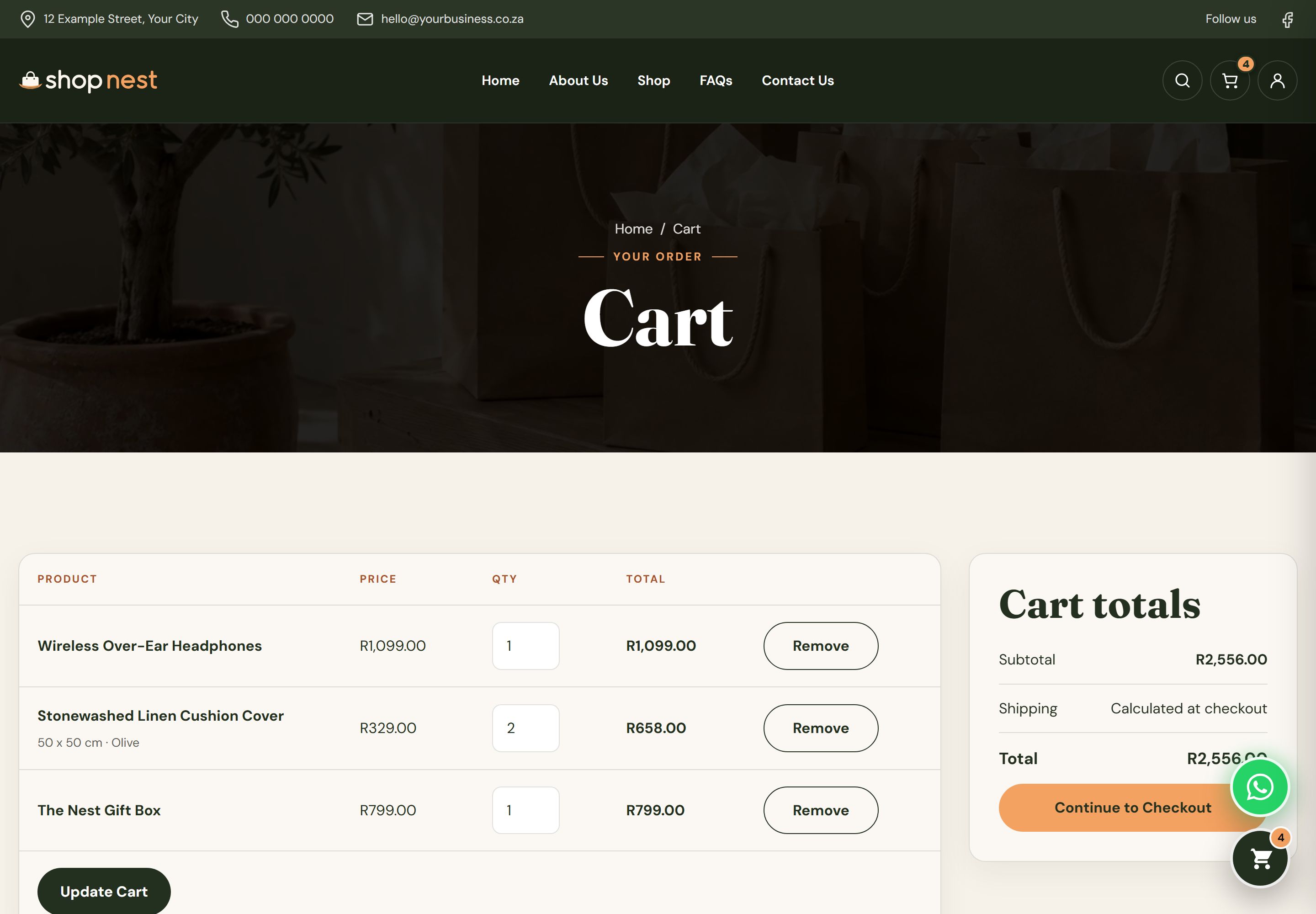
Cart page with a table of products, quantity selectors, line totals and an order totals panel with a proceed to checkout button.
Cart page
View the Live Site
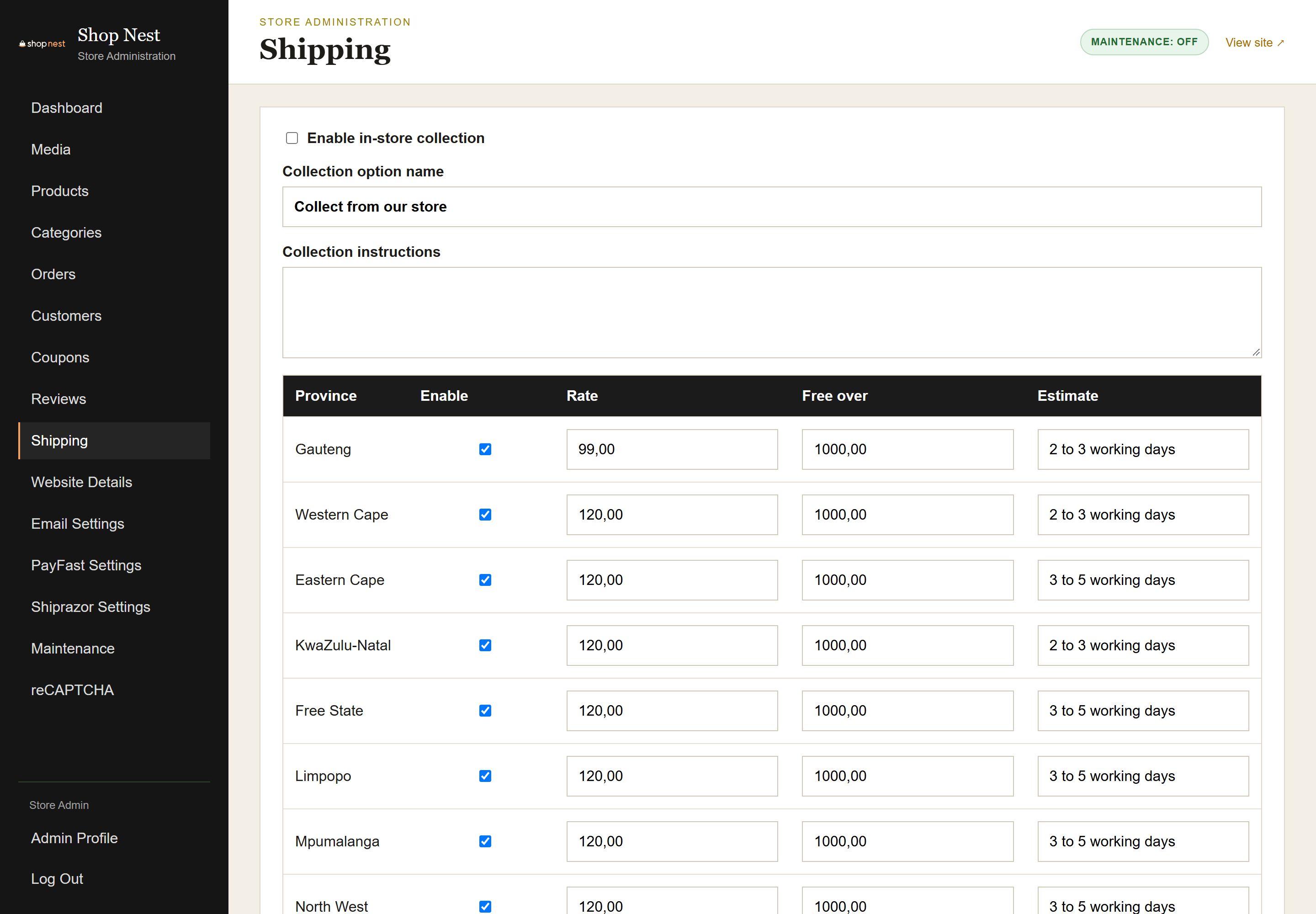
Admin Shipping settings with a delivery rate for each province, a free delivery threshold and a store collection option.
Shipping and delivery
Payments and Delivery

Get Paid and Delivered, Without the Back and Forth

  • Set a delivery rate for each province.
  • Offer free delivery above an order value you choose.
  • Let local customers collect from your store.
  • Payments go through your own PayFast account, and courier details and tracking are added to each order.
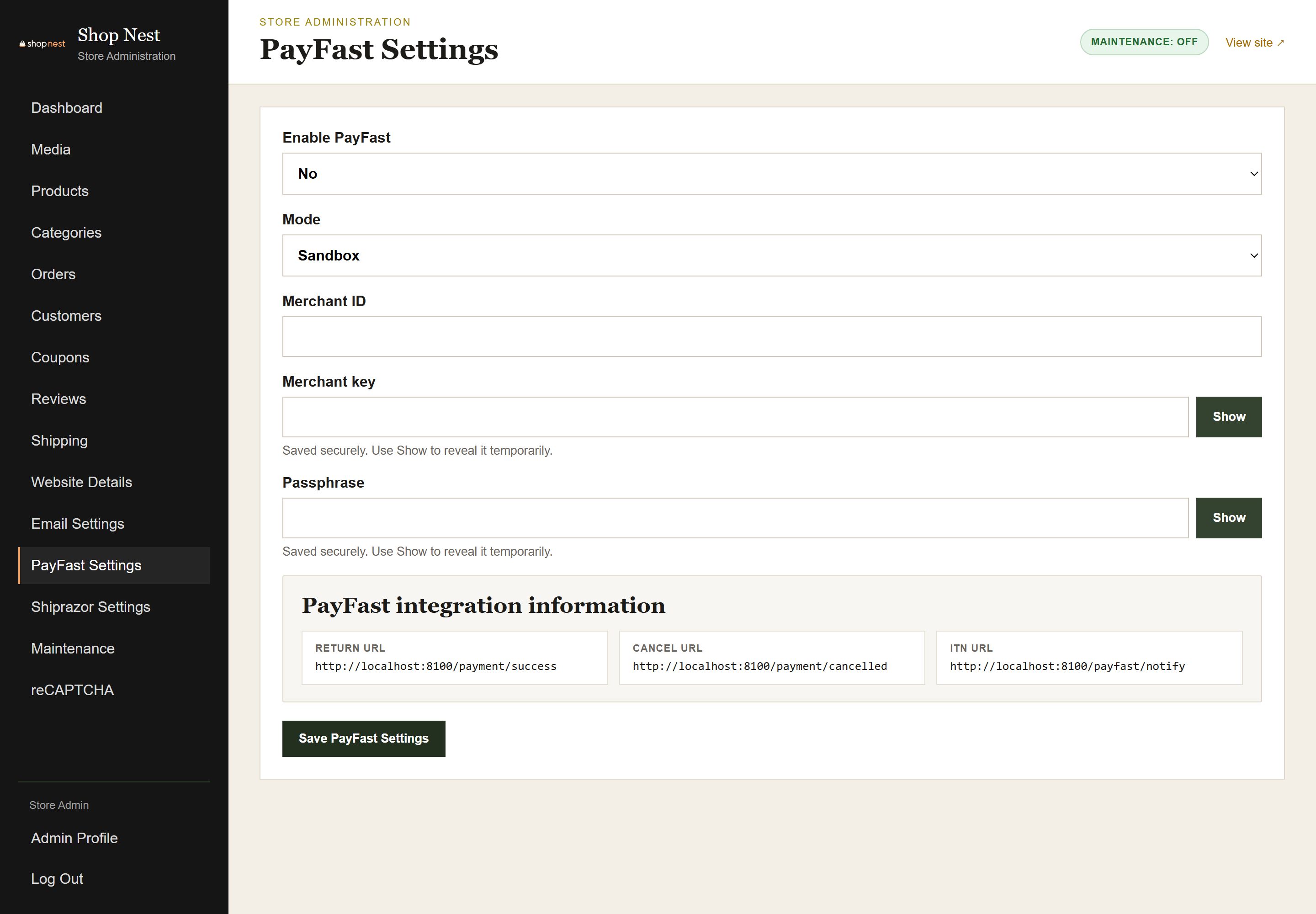
Admin PayFast settings page with merchant details, a sandbox and live mode switch and a Save button.
PayFast settings
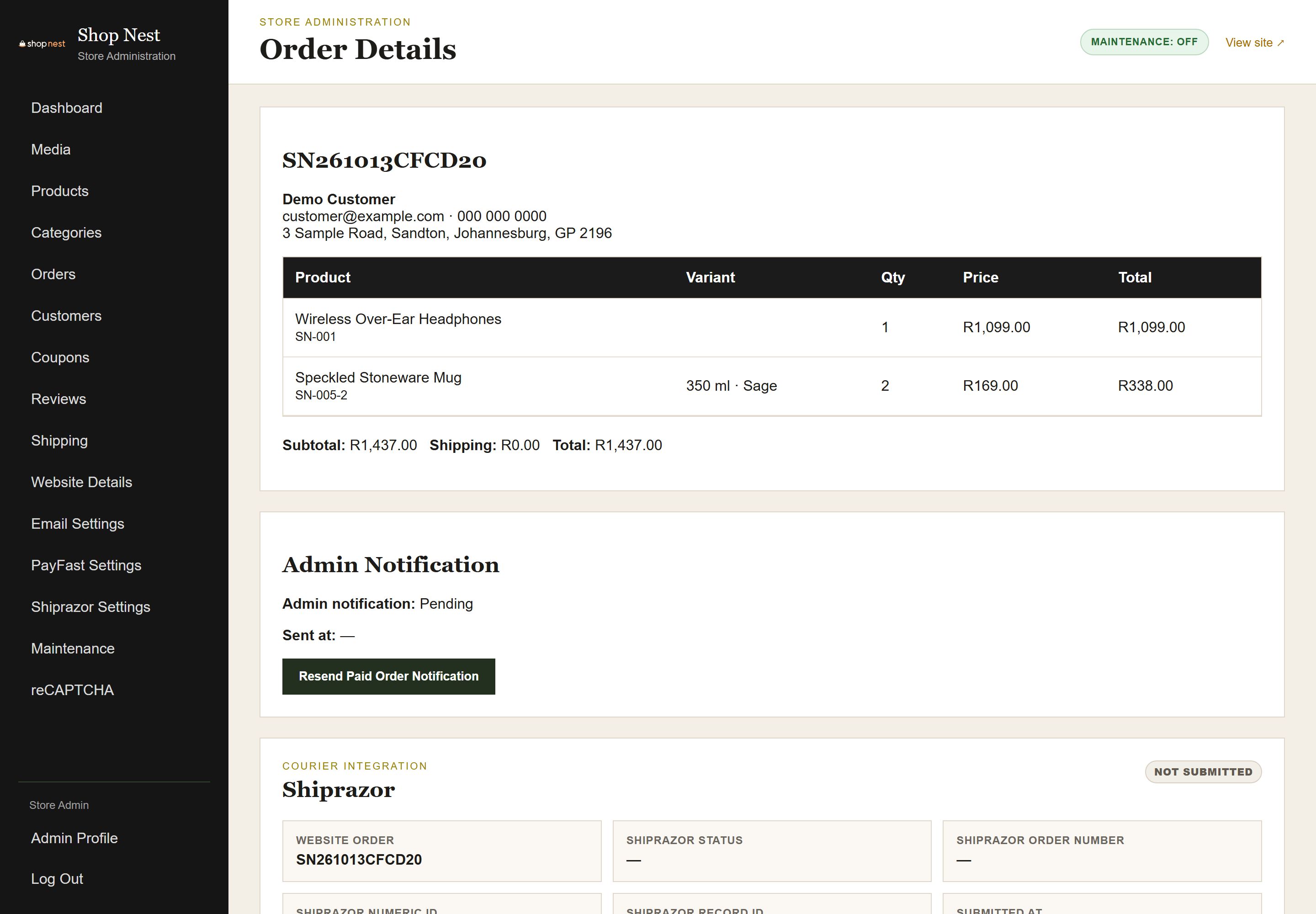
Admin order detail page showing the items, customer and address, payment status, fulfilment status, courier and tracking number fields.
Order view

Ready to Take Your Products Online?

Tell us what you sell today and we’ll show you exactly how Shop Nest works.

View the Live Site
The Customer Account

Everything a Customer Needs, In One Login

Customers check their own orders, so your team answers fewer “where is my order?” messages.
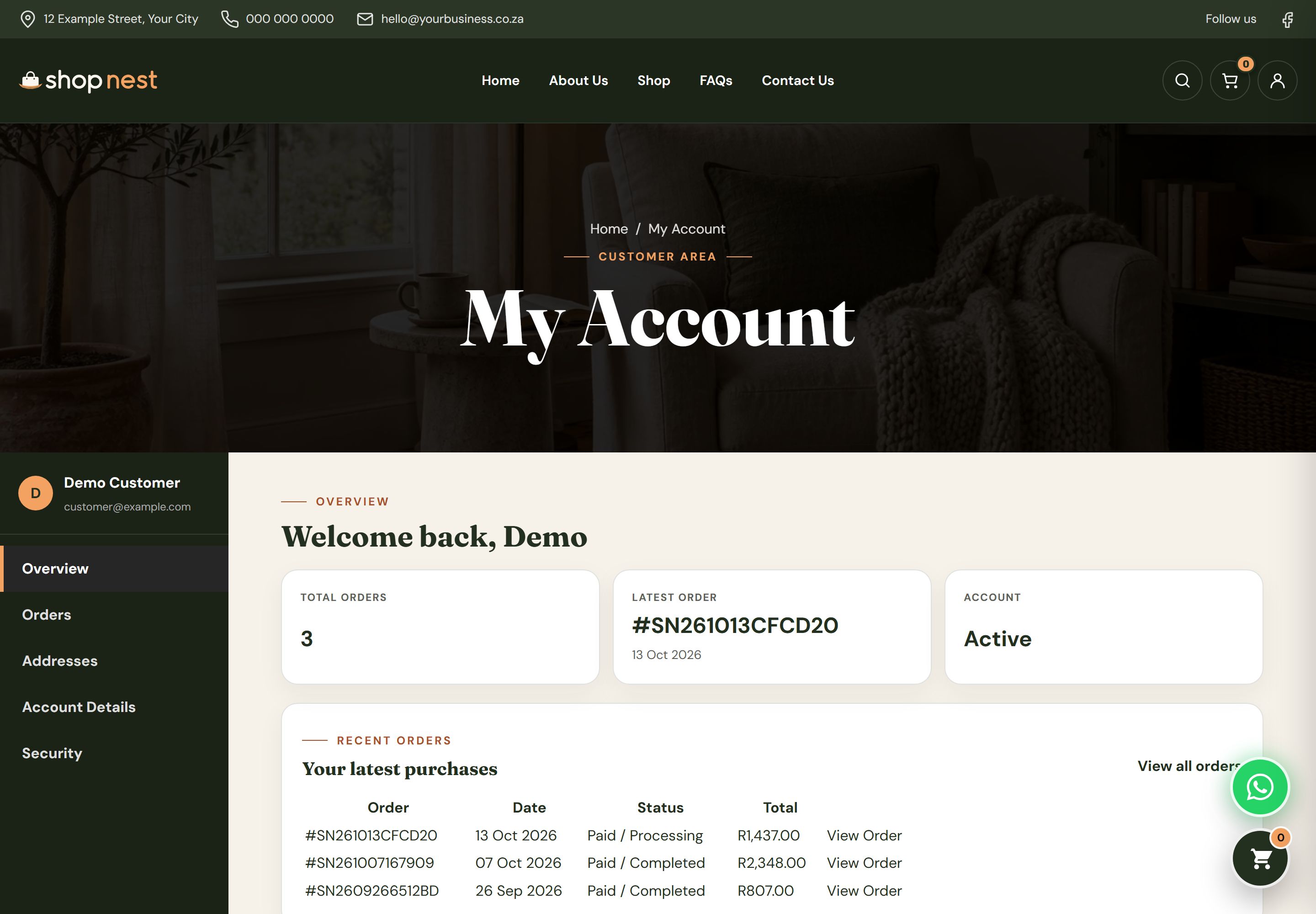
Customer account overview with a welcome message, links to orders, addresses and account details, and a summary of recent activity.

Account details, recent orders and saved addresses, at a glance.
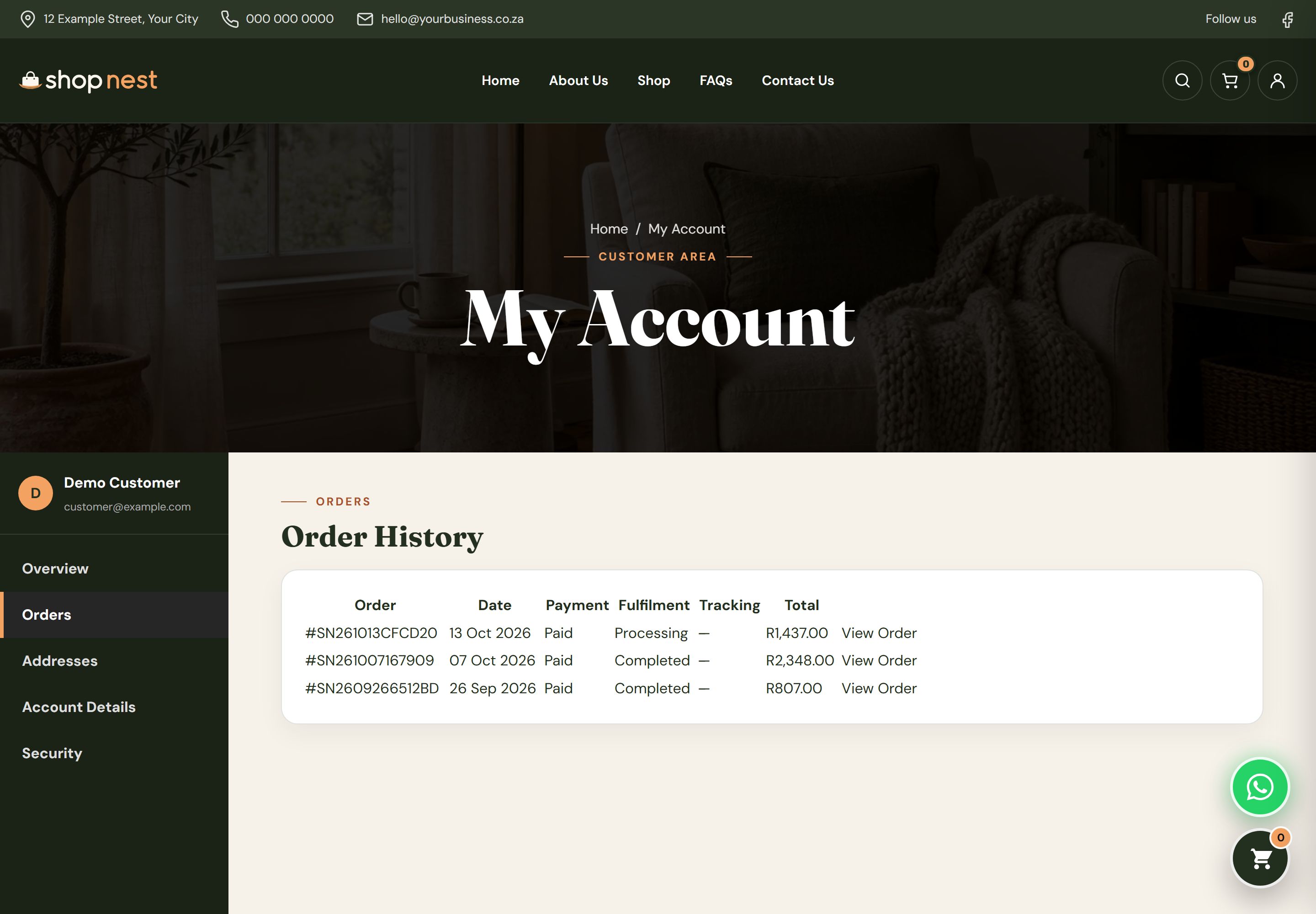
Customer order history list showing order numbers, dates, status and totals with a view button on each row.

Every past order with its date, status and total.
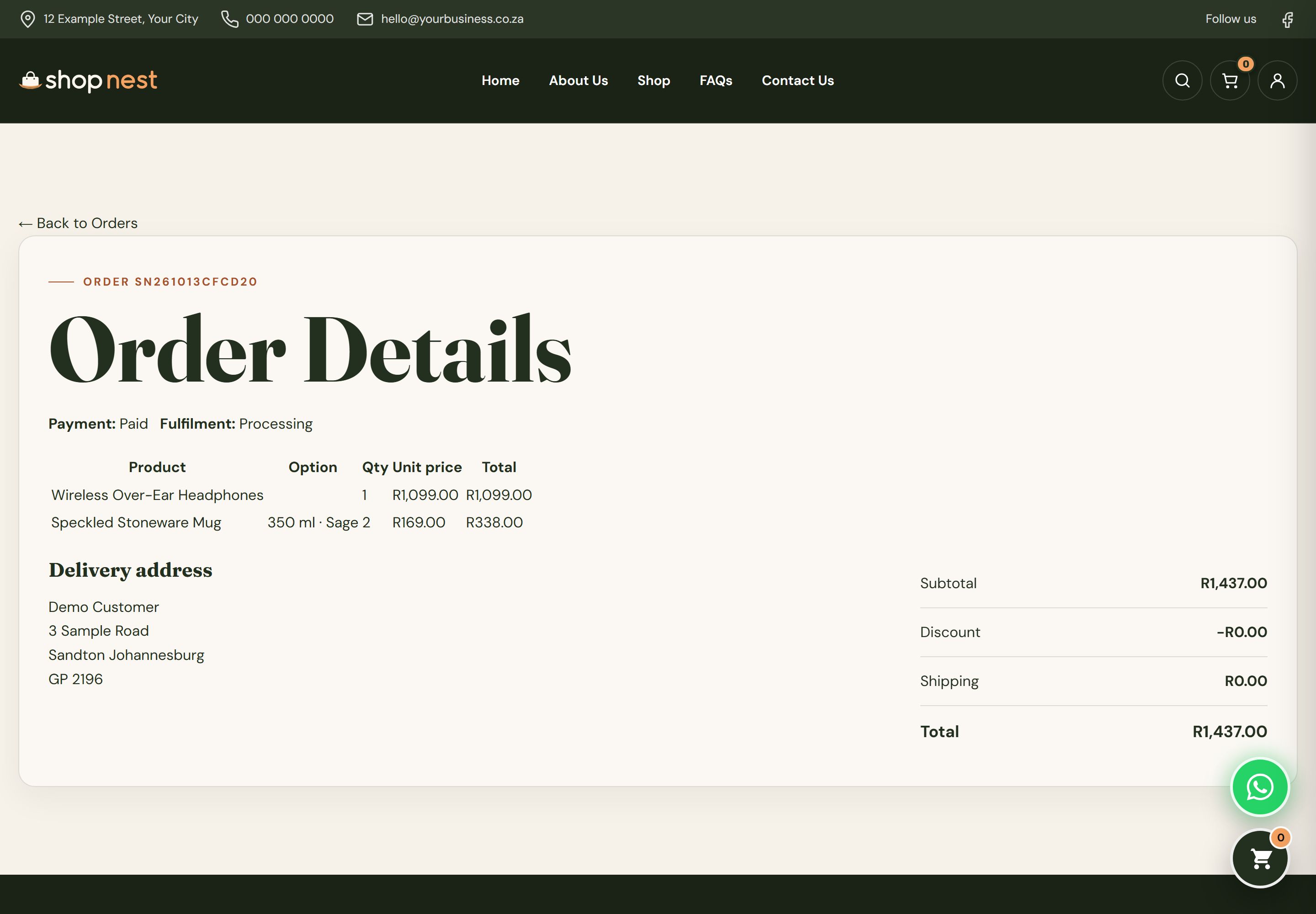
Customer order detail page showing the items ordered, delivery address, order status and the order totals.

The items, delivery address and totals for a single order.
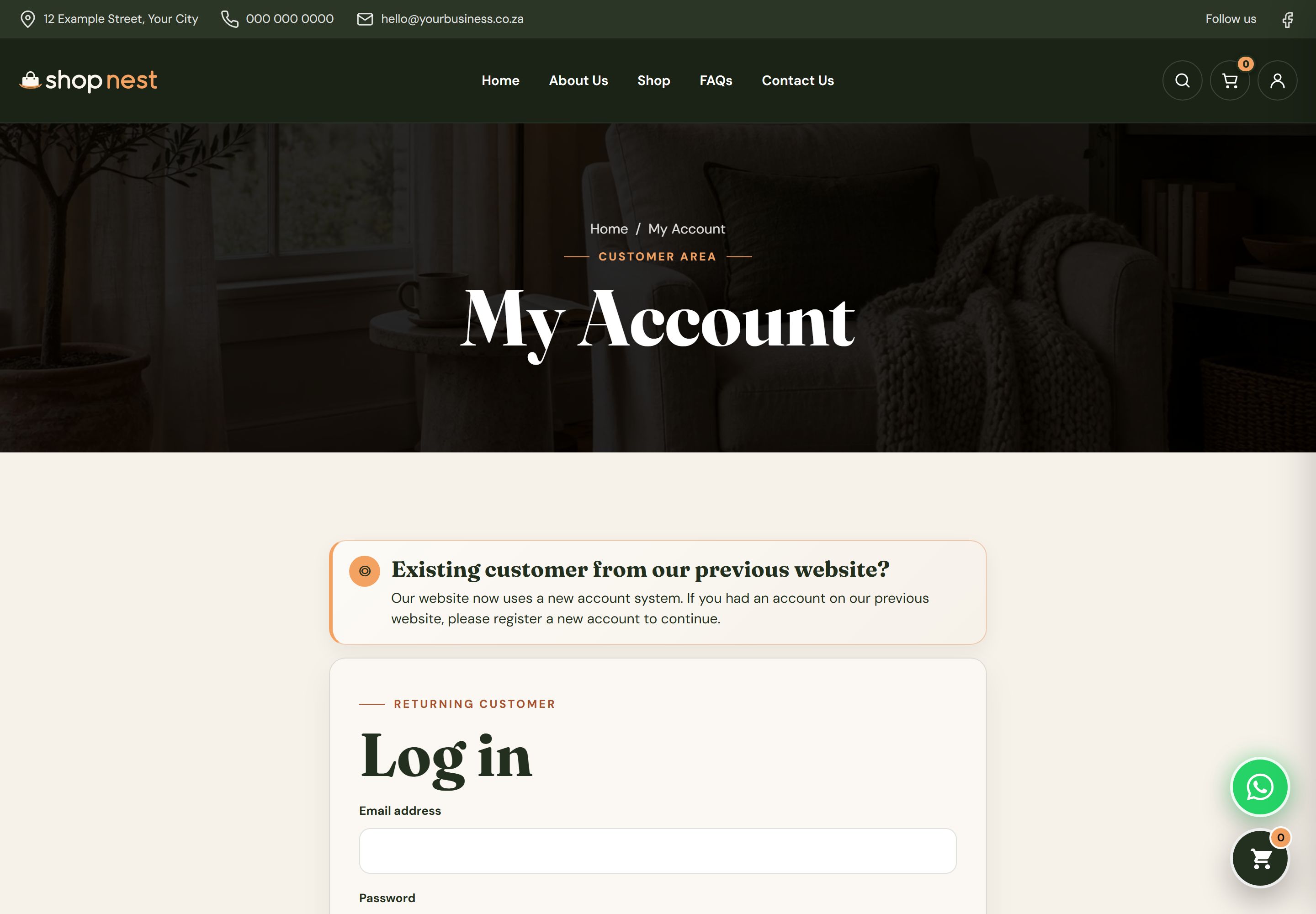
Customer account page with a switch between Login and Register, email and password fields and a submit button.

Customers sign in or register from the same page.

You’re in Control

Run the Whole Store From One Back Office

Add products, process orders, set delivery rates and run promotions. No developer needed.
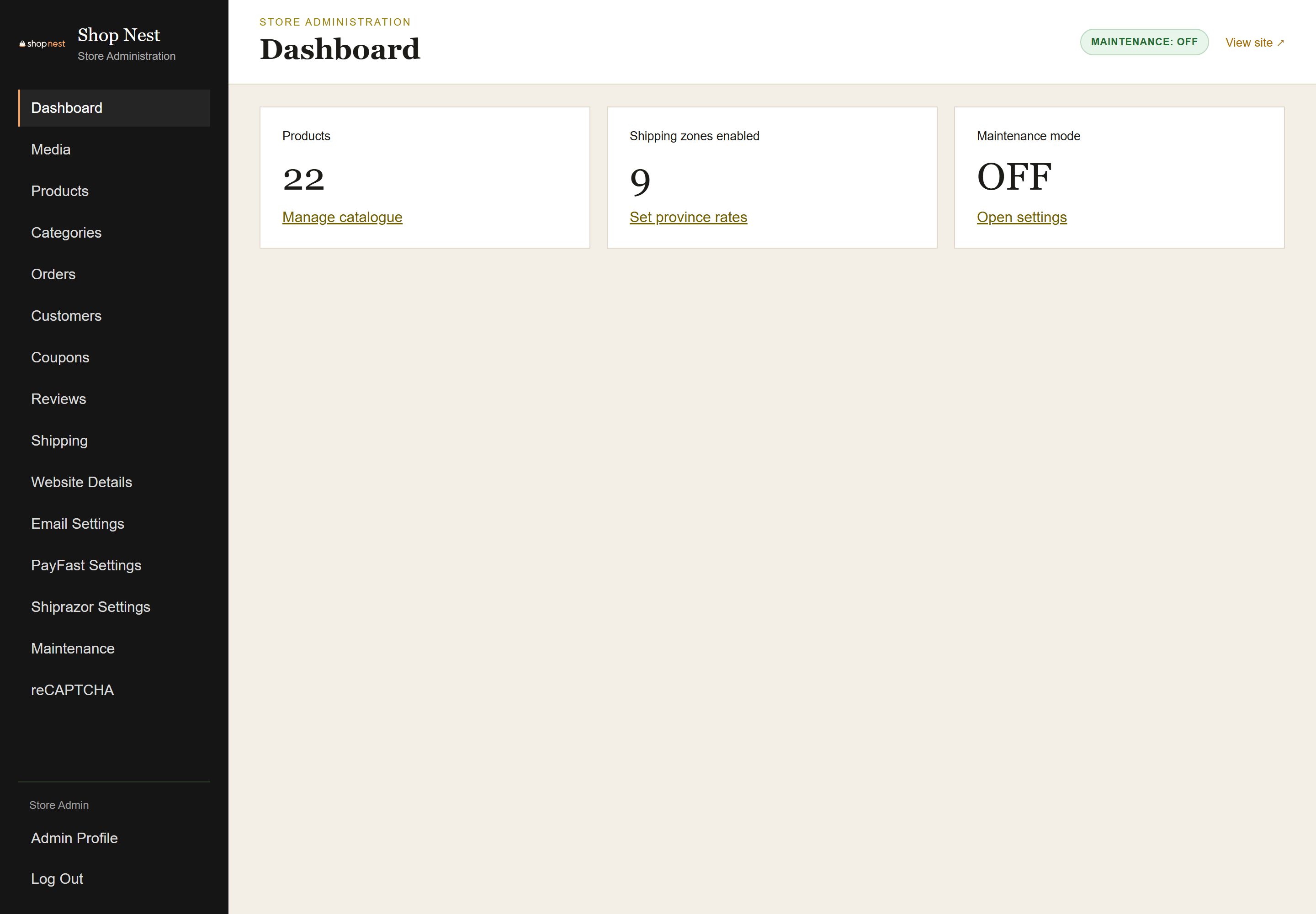
Shop Nest admin dashboard with sales, order and customer figures, recent orders and shortcuts to products, orders and settings.

Sales, orders and customers on one screen.
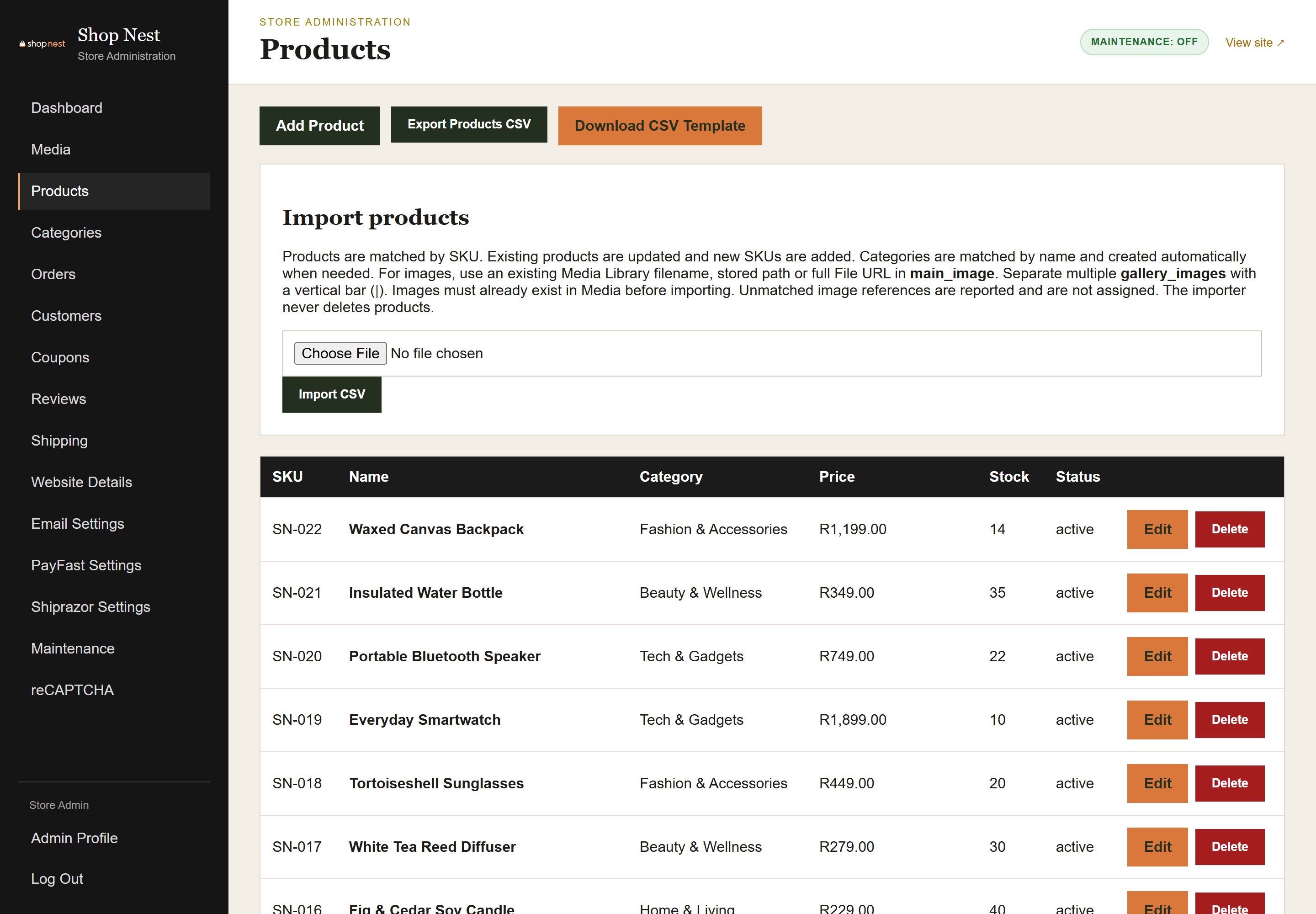
Admin Products list with search and filters, product thumbnails, prices, stock levels, status badges and an Add Product button.

Search, filter and update the whole catalogue.
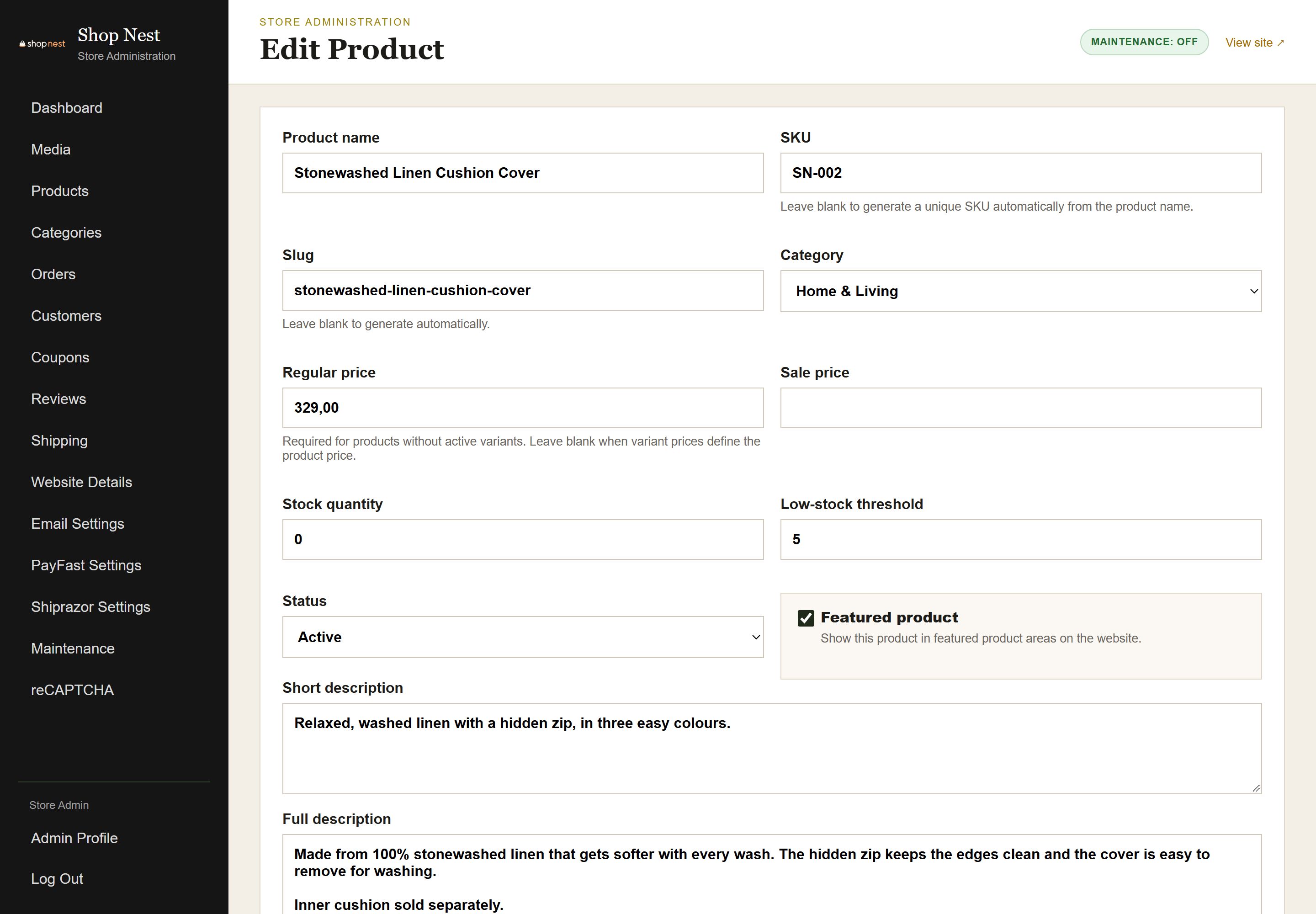
Admin product editor with fields for product images, prices, stock and variants such as colour and size options, and a Save button.

Images, prices, stock and variants for each product.
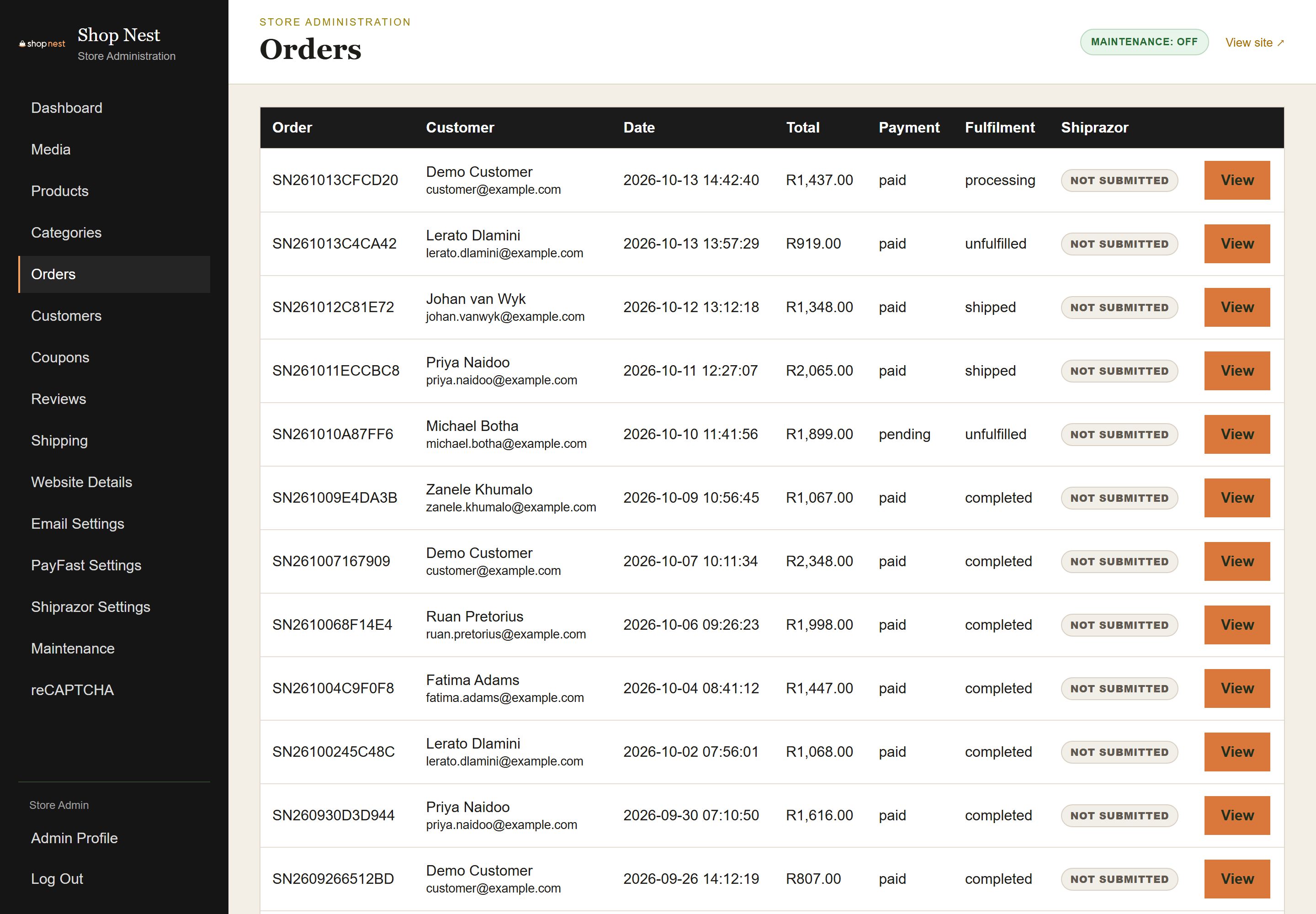
Admin Orders list with status filters and a table of orders showing order number, customer, date, payment status, fulfilment status and total.

Every order with its payment and fulfilment status.

Admin order detail page showing the items, customer and address, payment status, fulfilment status, courier and tracking number fields.

Payment and fulfilment status, courier and tracking for one order.
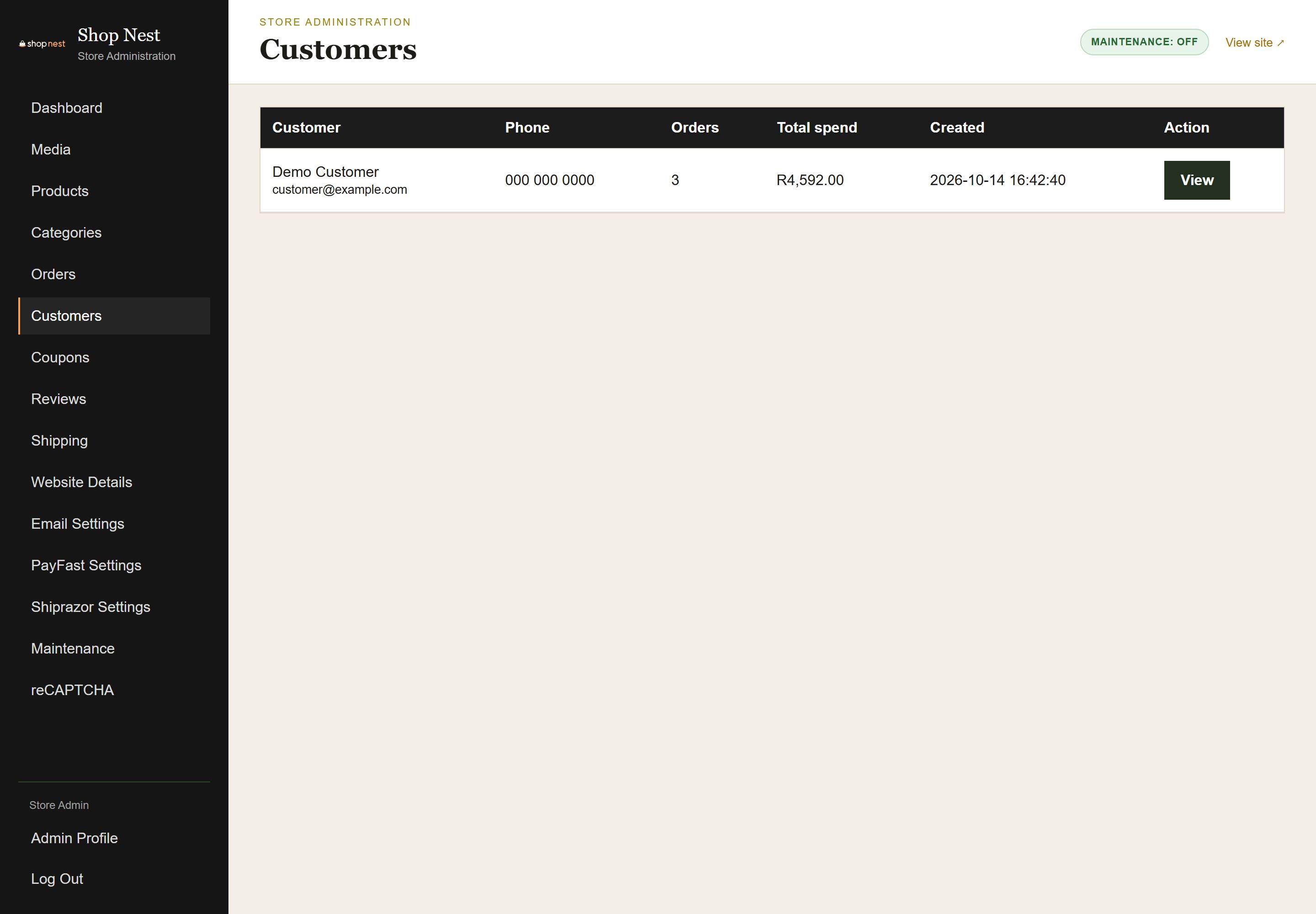
Admin Customers list with search, and a table of customers showing name, email, number of orders and total spent.

See who buys from you and how often.
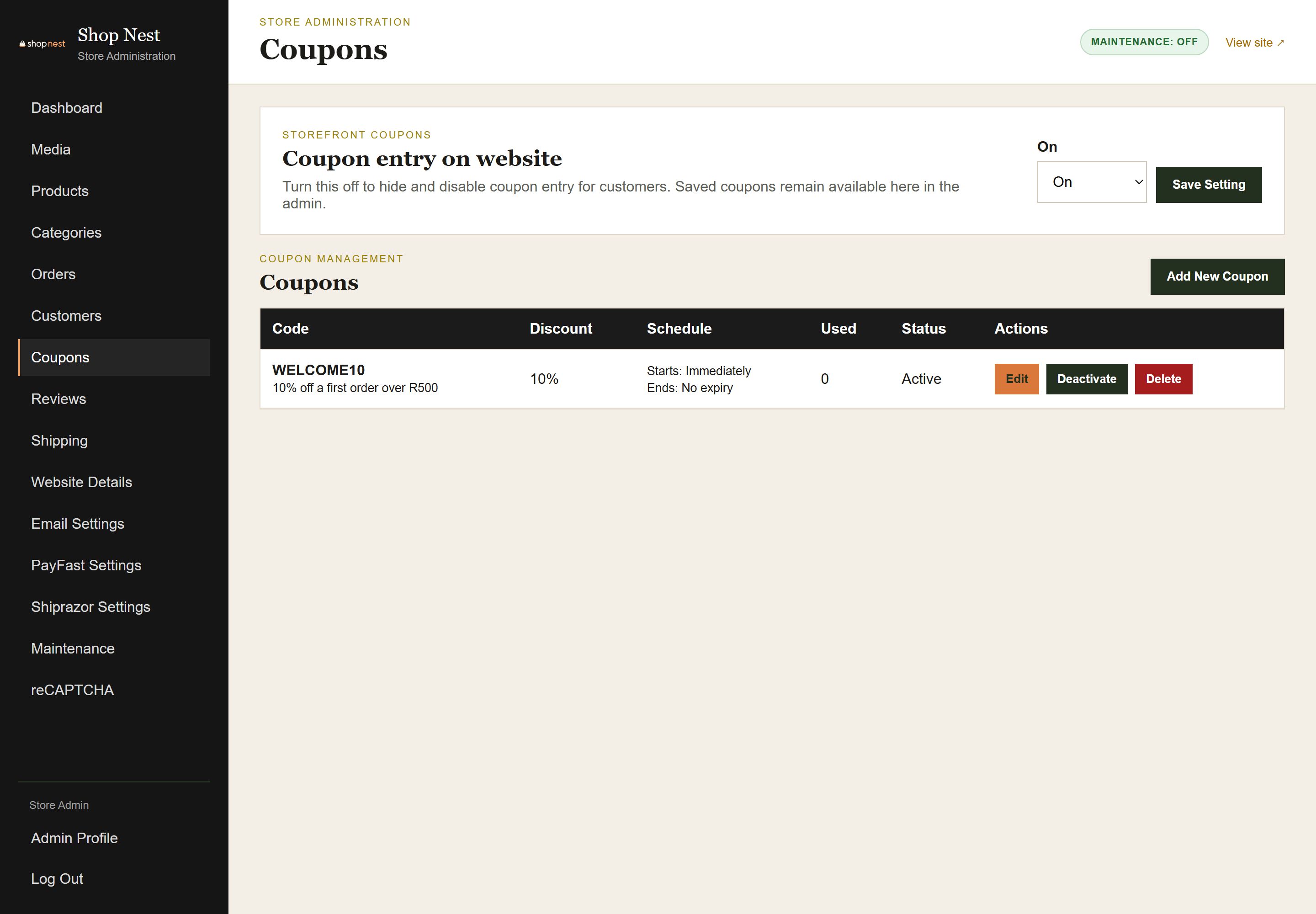
Admin Coupons page listing coupon codes with discount type and value, usage and expiry, and an Add Coupon button.

Create discount codes and promotions in a few clicks.
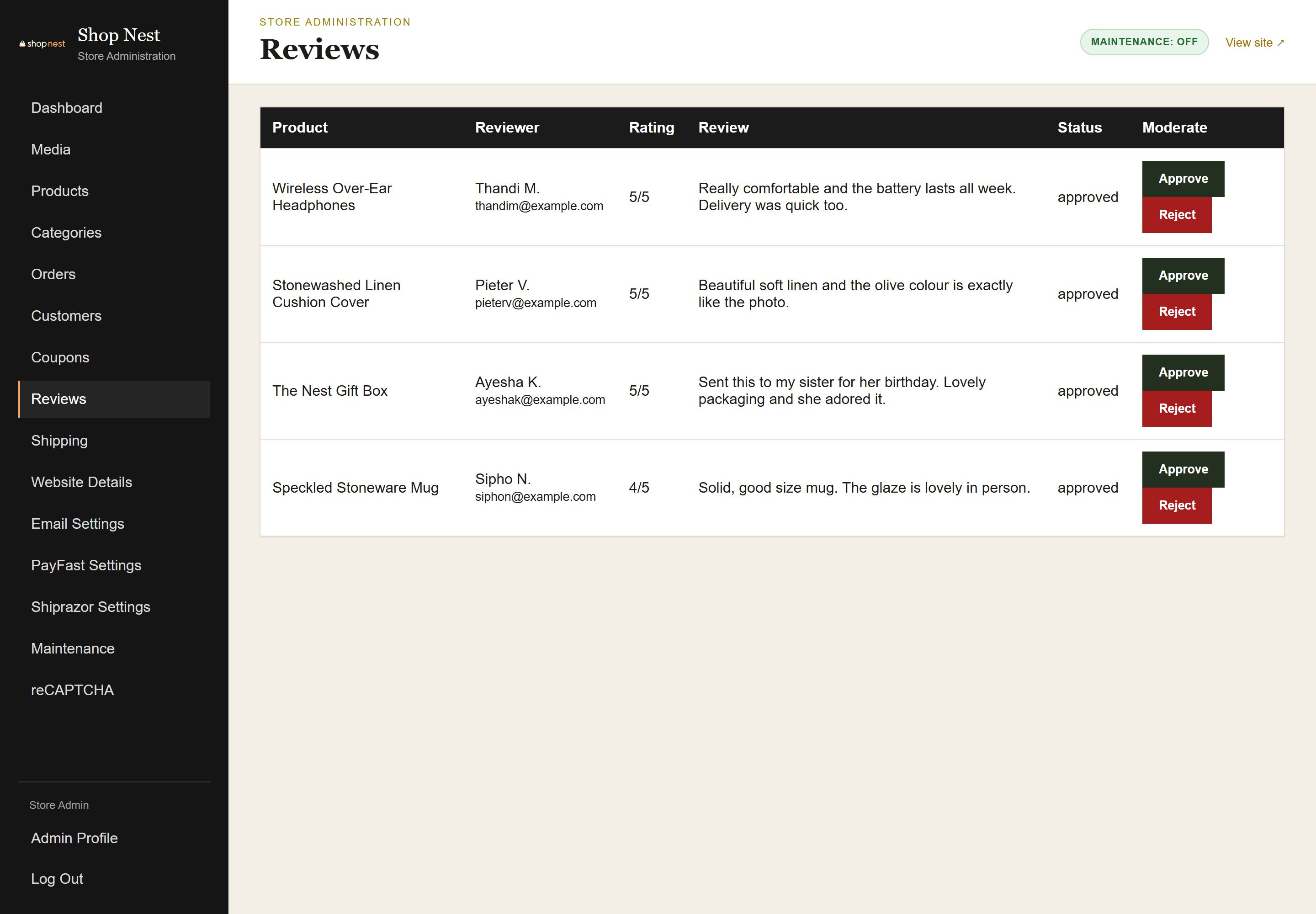
Admin Reviews page listing product reviews with star ratings, reviewer names and comments, and Approve and Delete actions for moderation.

Moderate customer reviews before they go live.
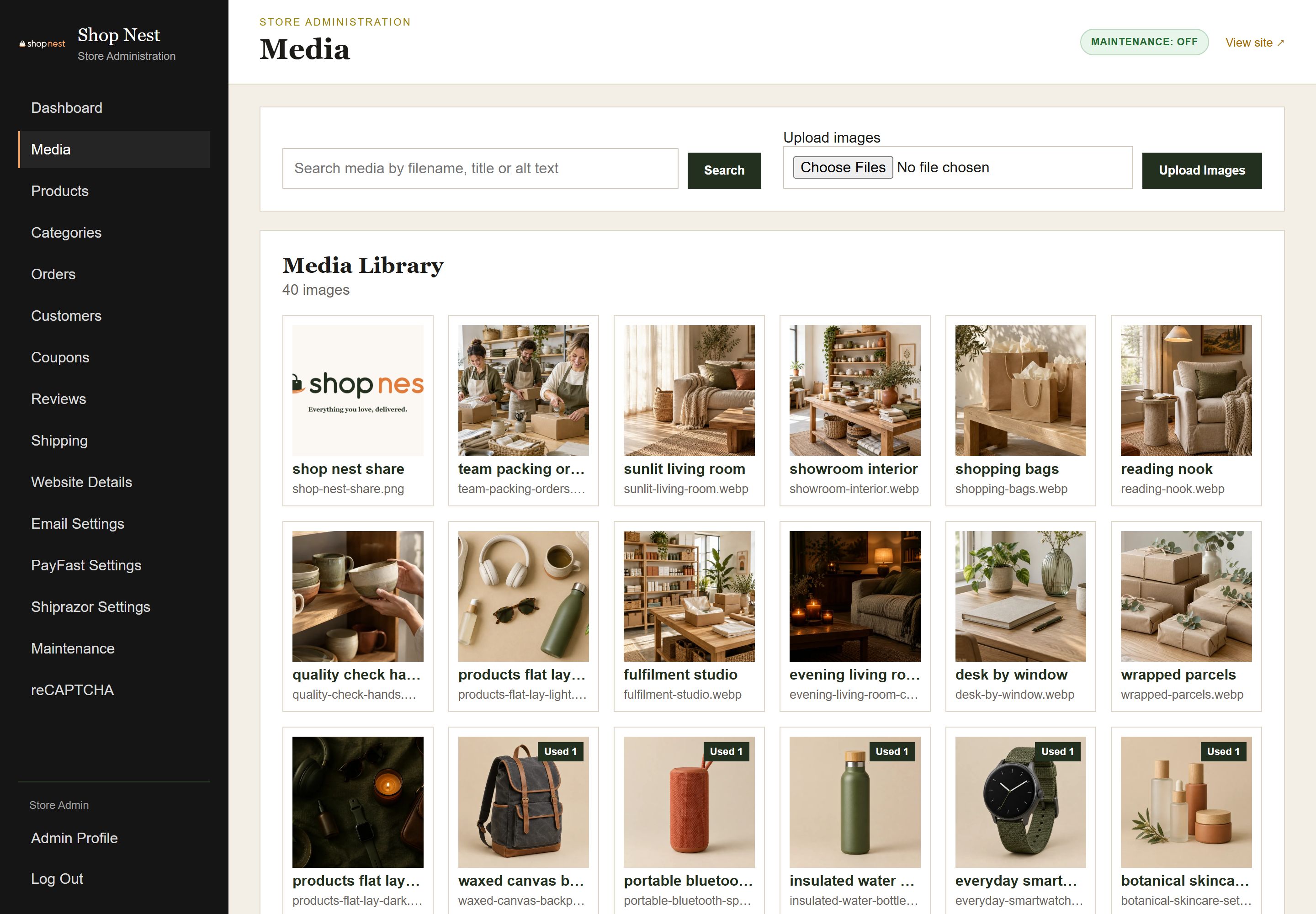
Admin Media library showing a grid of uploaded product images with an upload button and options to view and delete each file.

One library for all your product images.

Admin Shipping settings with a delivery rate for each province, a free delivery threshold and a store collection option.

Delivery rates per province, a free delivery threshold and store collection.

Admin PayFast settings page with merchant details, a sandbox and live mode switch and a Save button.

Connect your own PayFast account for online payments.
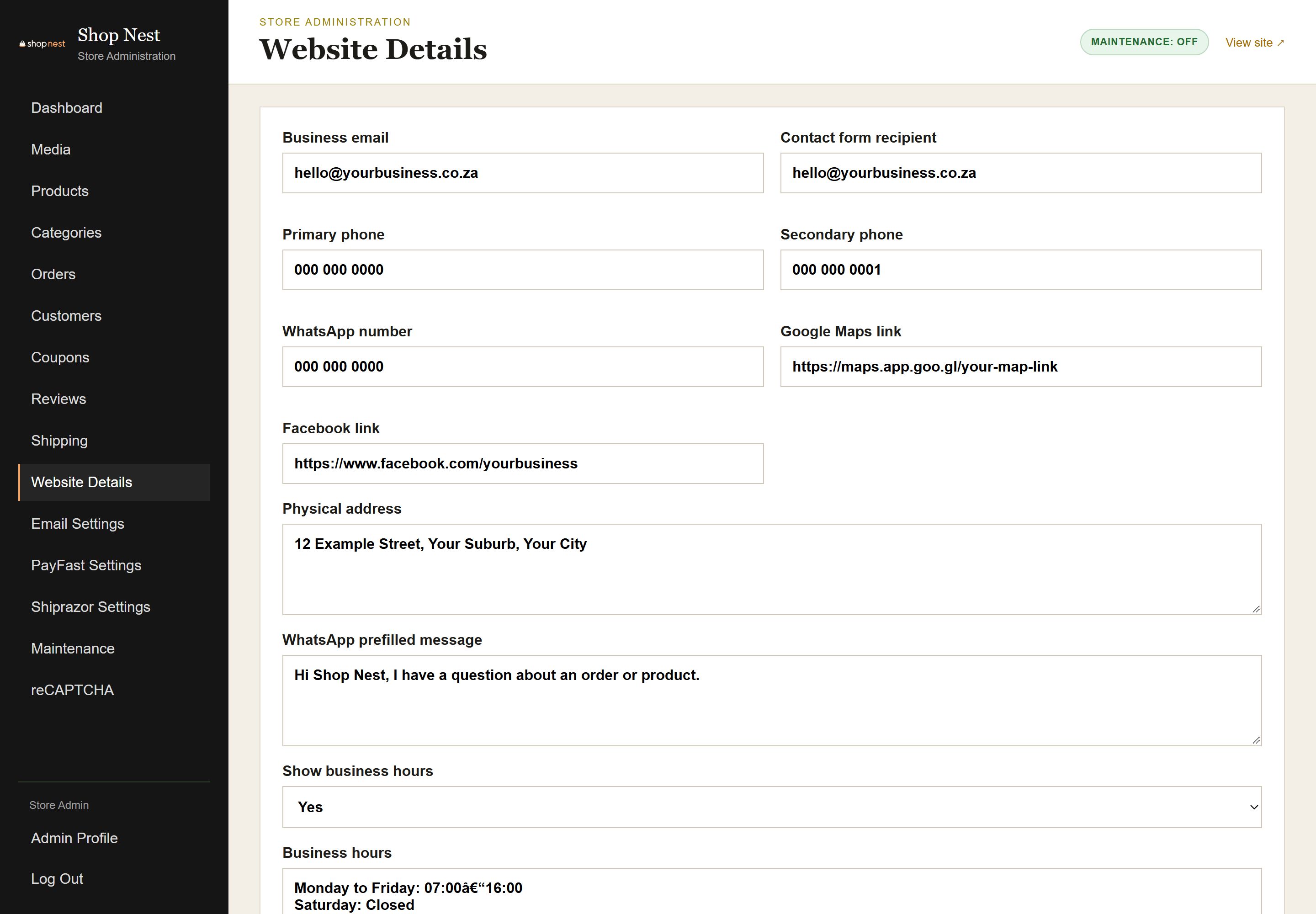
Admin Website settings page with store name, contact email, phone number and WhatsApp number fields.

Store details and contact settings, updated by you.

View the Live Site
Mobile

Built for the Phone in Every Shopper’s Pocket.

Most shoppers browse and buy on their phones, so every screen works well on a small display.
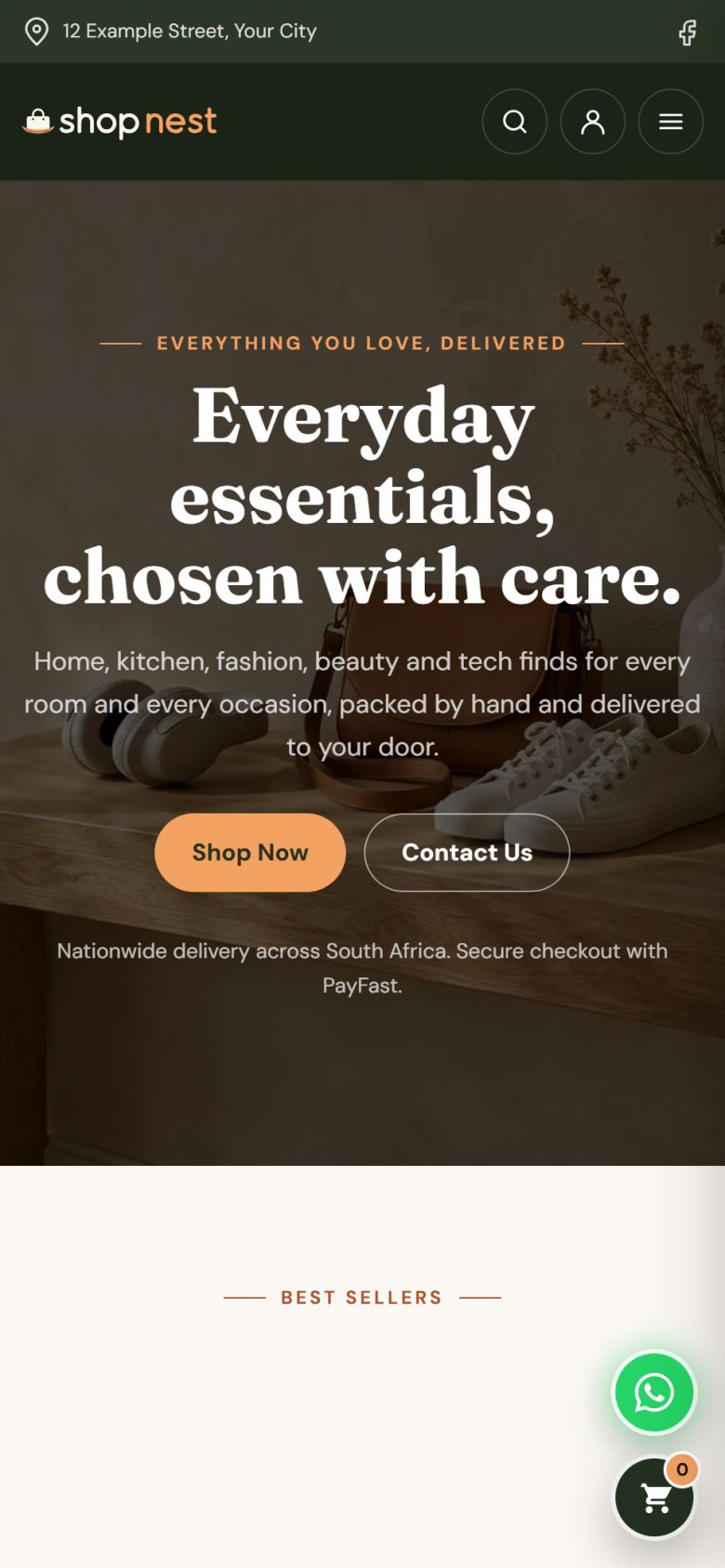
The Shop Nest home page on a phone with the headline "Everyday essentials, chosen with care." and Shop Now and Contact Us buttons.
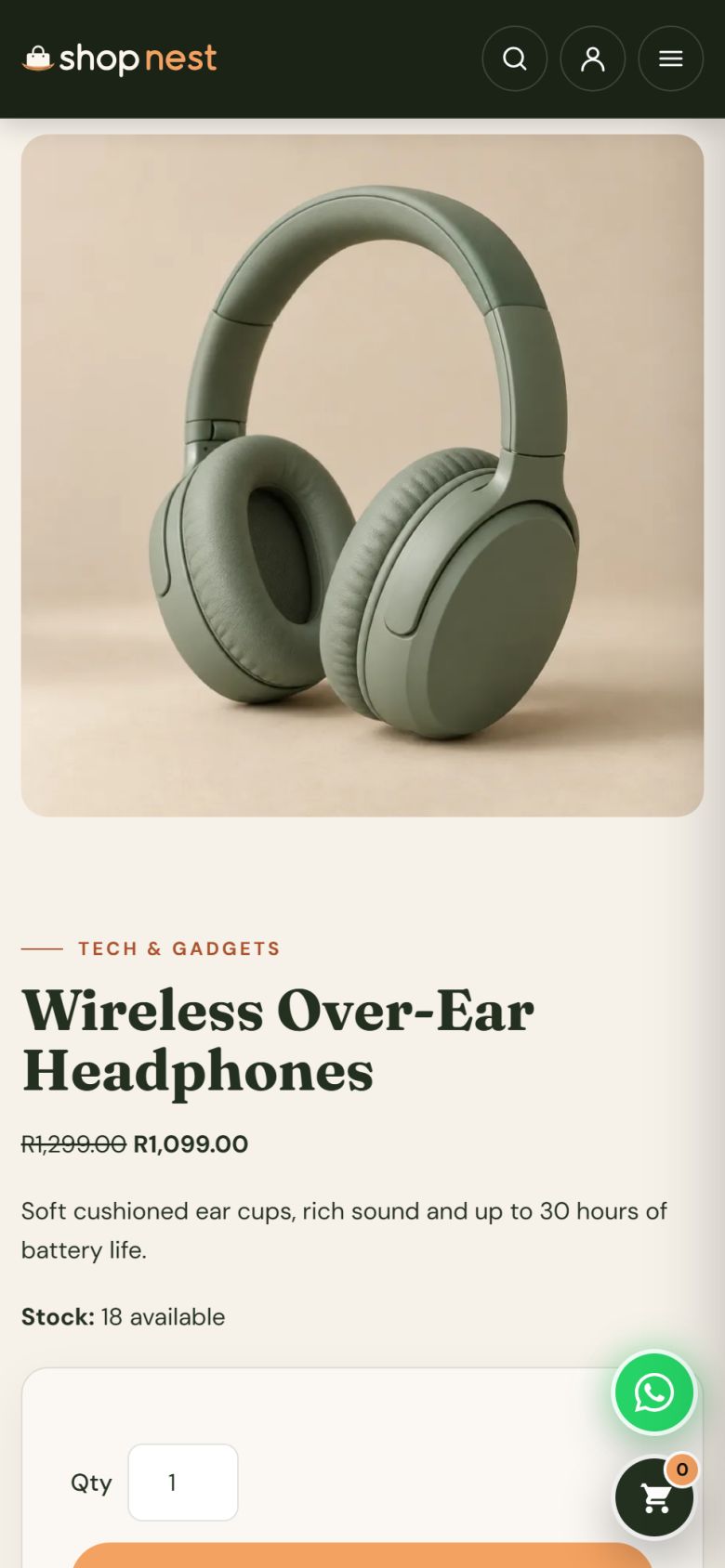
A product page on a phone showing the product image, name, price and an Add to Cart button.
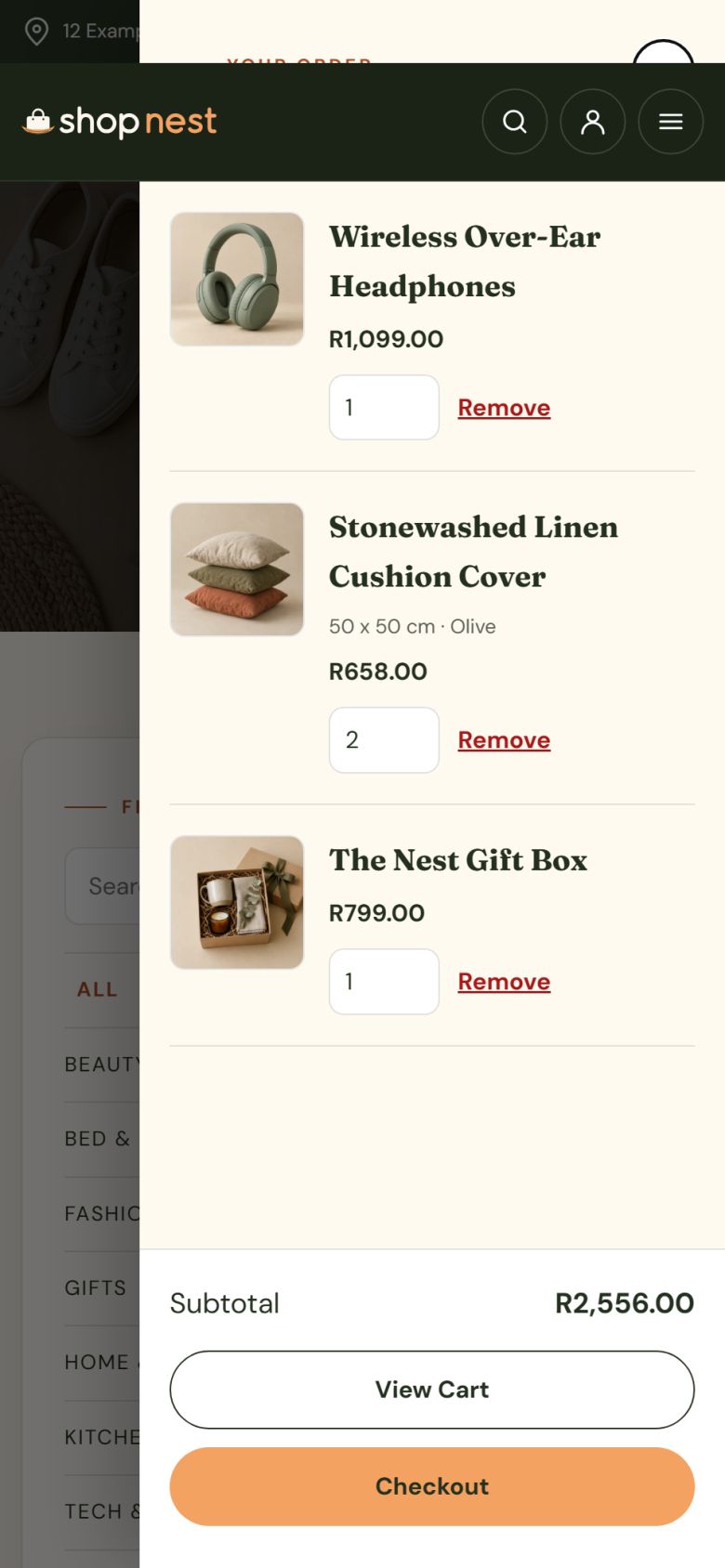
The slide-out cart drawer on a phone showing the items in the cart and a Checkout button.
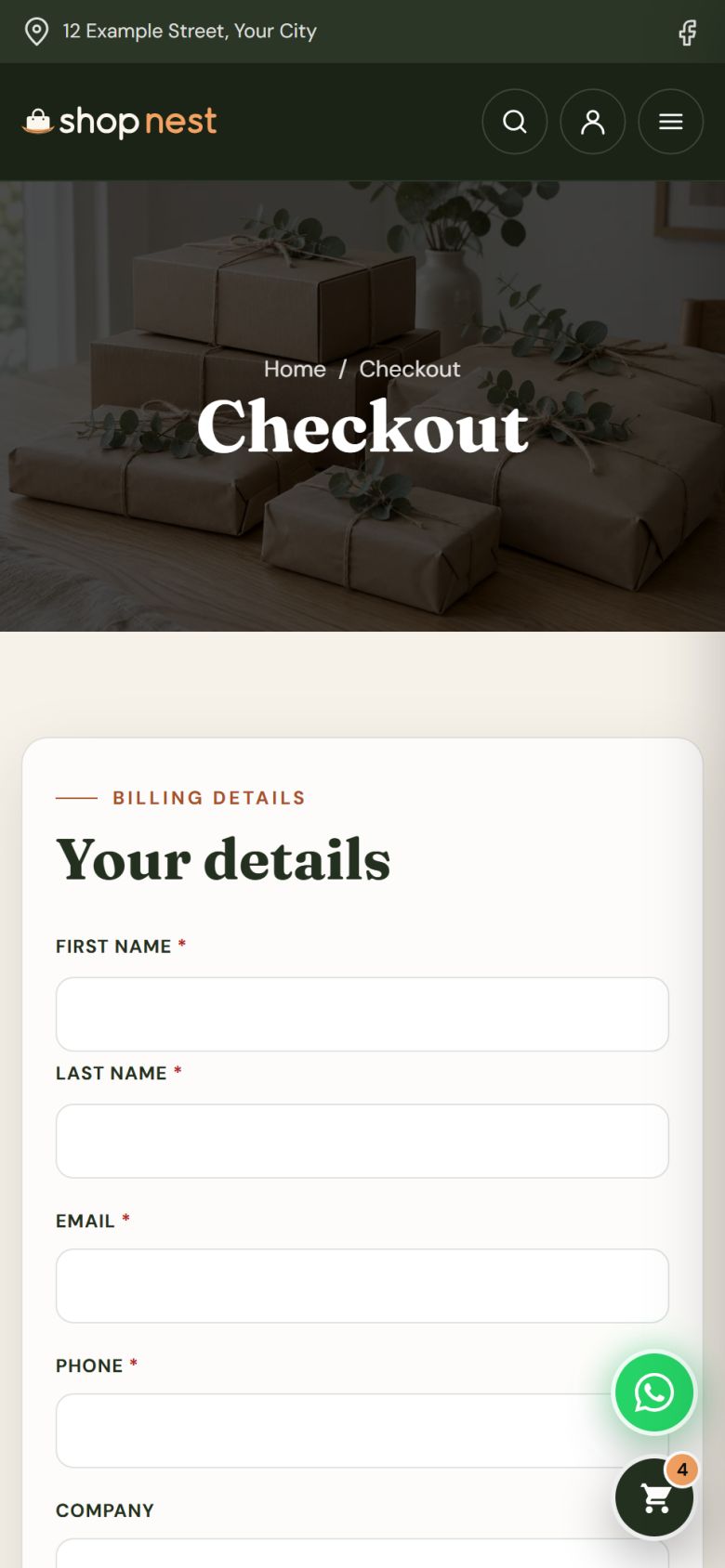
The checkout page on a phone with delivery details, a coupon field and the PayFast payment option.

Swipe to see all four screens

View the Live Site
The Package

What’s Included

  • A branded online store with your own domain
  • Products with images, prices, stock and variants
  • Size and colour options on any product
  • Shop catalogue with categories and live search
  • Cart page and slide-out side cart
  • Secure checkout with PayFast payments
  • Delivery rates by province and a free delivery threshold
  • Store collection option for local customers
  • Coupons and sale prices
  • Customer accounts with order history
  • Product reviews with moderation
  • Order management with payment and fulfilment status
  • Courier and tracking details on every order, with courier integration ready
  • Media library for your product images
  • Mobile-ready on every screen
  • Tutorial videos, and our team working alongside yours
Why X3WEB

Built by a Team That’s Been Building Business Websites for 10+ Years

Shop Nest is built, hosted and supported by the same team that has been building and running business websites in South Africa for over a decade.

10+ Years Building

A decade of building and running business websites for South African companies, not a side project.

2,000+ Clients Served

We have launched and supported websites for businesses of every size across the country.

4.9 Google Rating

From verified reviews by the businesses we look after.

Next Step

Open Your Own Online Store

Get in touch and we’ll walk you through the full business model.

View the Live Site
Questions

Before You Ask

Is this a template?
No. We build it into your brand, load your products and delivery rates, and hand it over working.
Can we load our own products?
Yes. We add your products, photographs, prices, categories and size or colour options, so the store is ready to sell on day one.
How are payments collected?
Online through PayFast, paid straight into your own PayFast account. Each order shows its payment status in your back office.
How does delivery and courier work?
You set a delivery rate for each province, a free delivery threshold and an optional store collection. Courier and tracking details are added to each order, and the store is ready for courier integration.
Can customers create accounts?
Yes. Customers can register, sign in, see their order history and view each order’s items, address and totals.
Can I manage the store myself?
Yes. You add products, change prices, create coupons, process orders and moderate reviews from the back office. Tutorial videos cover everything, and our team is there if you need help.
View Packages